⚡ Limited time: Get Agency OS for $99 instead of $175 and save $76
How to Create a Notion Content Calendar (Free Template Included)
How to Create a Notion Content Calendar (Free Template Included)
Learn how to create a Notion content calendar to organize your content strategy. Step-by-step guide + free template for bloggers, creators, and teams.

Whether you're a solo creator, blogger, or part of a marketing team, staying organized with your content is key to growth. That’s where a Notion content calendar comes in.
In this guide, I’ll show you exactly how to create your own content calendar in Notion and give you access to a free template so you can get started today.
Whether you're a solo creator, blogger, or part of a marketing team, staying organized with your content is key to growth. That’s where a Notion content calendar comes in.
In this guide, I’ll show you exactly how to create your own content calendar in Notion and give you access to a free template so you can get started today.
What is a Notion Content Calendar?
A Notion content calendar is a customizable database that helps you plan, schedule, and manage your content across platforms like blogs, YouTube, newsletters, or social media — all in one place.
You can use it to:
Schedule upcoming posts
Track content status (idea, writing, published)
Assign tasks if you're working in a team
Organize by channel, date, or topic
Why Use Notion for Your Content Calendar?
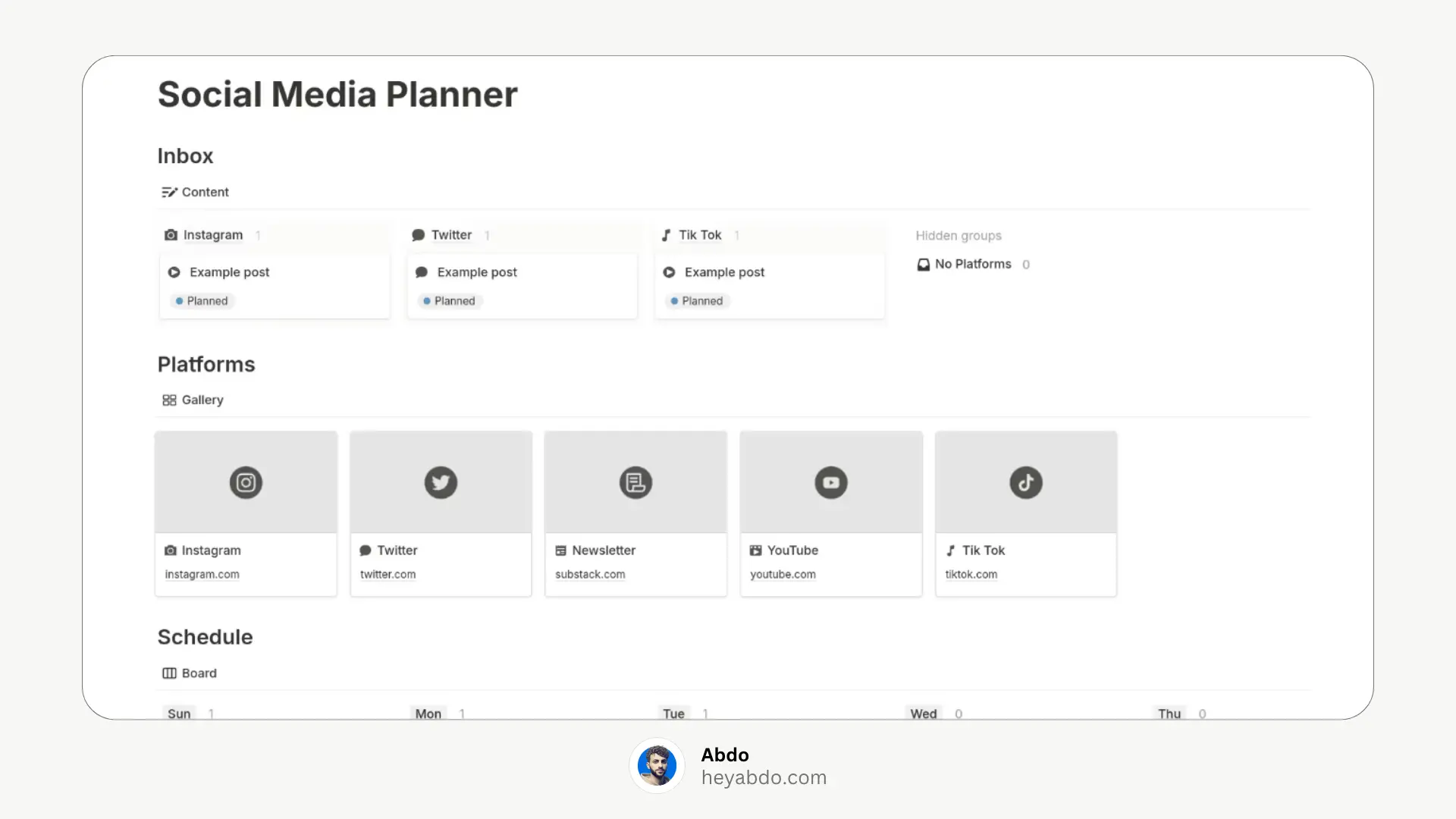
Here’s why Notion is perfect for content planning:
- All-in-one workspace – combine writing, planning, and publishing
- Custom views – calendar, kanban board, table, gallery
- Tags & filters – organize content by platform, type, or status
- Templates – duplicate for recurring content like weekly posts
- Team-friendly – collaborate with ease in shared workspaces
How to Create a Content Calendar in Notion?
Here’s a step-by-step walkthrough to build your own:
1. Create a New Page
Start by creating a new Notion page and give it a name like “Content Calendar.”
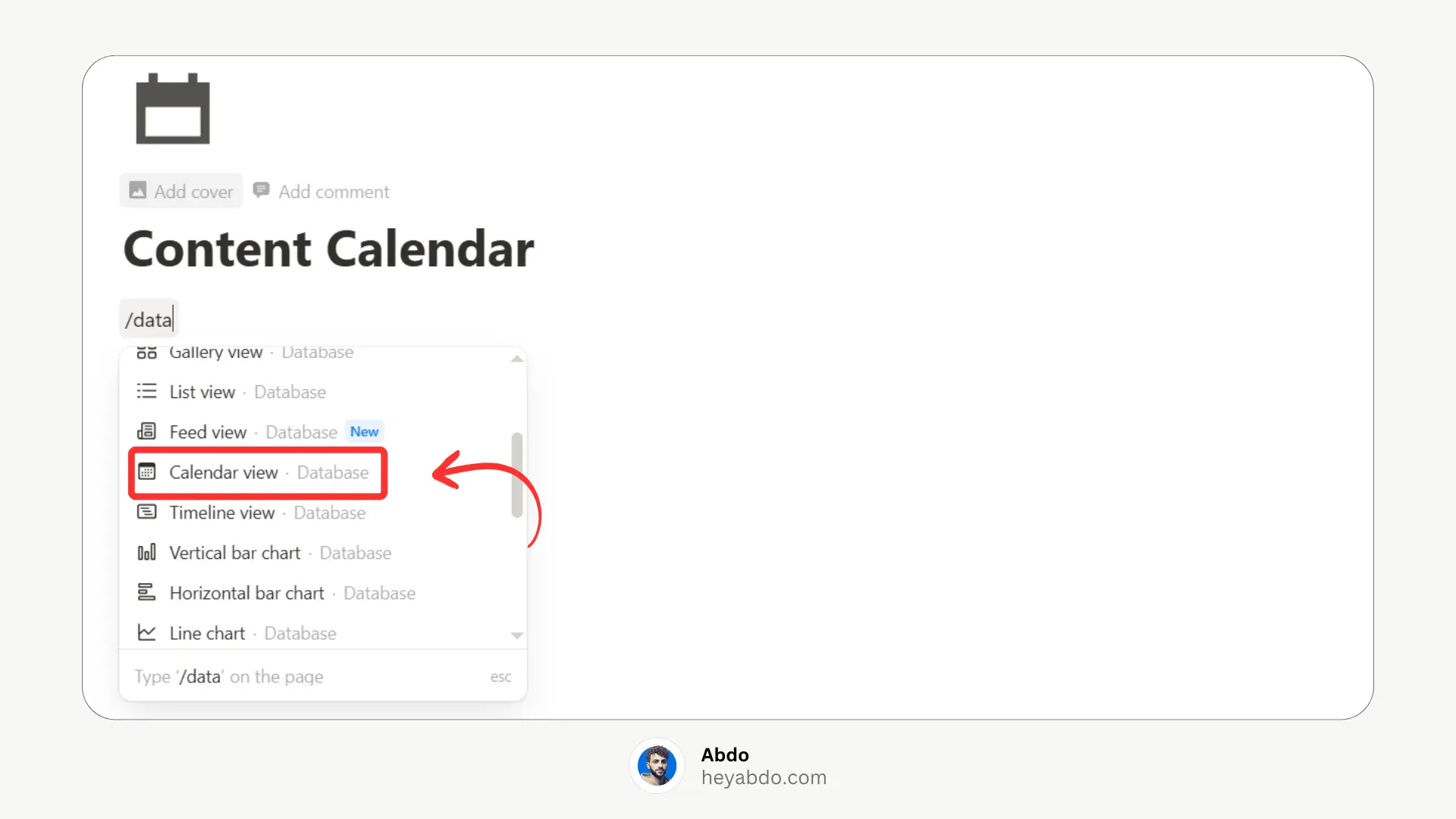
2. Add a Database
Choose “Calendar” view when creating the database so you can see your posts in a calendar format.
3. Customize Your Properties
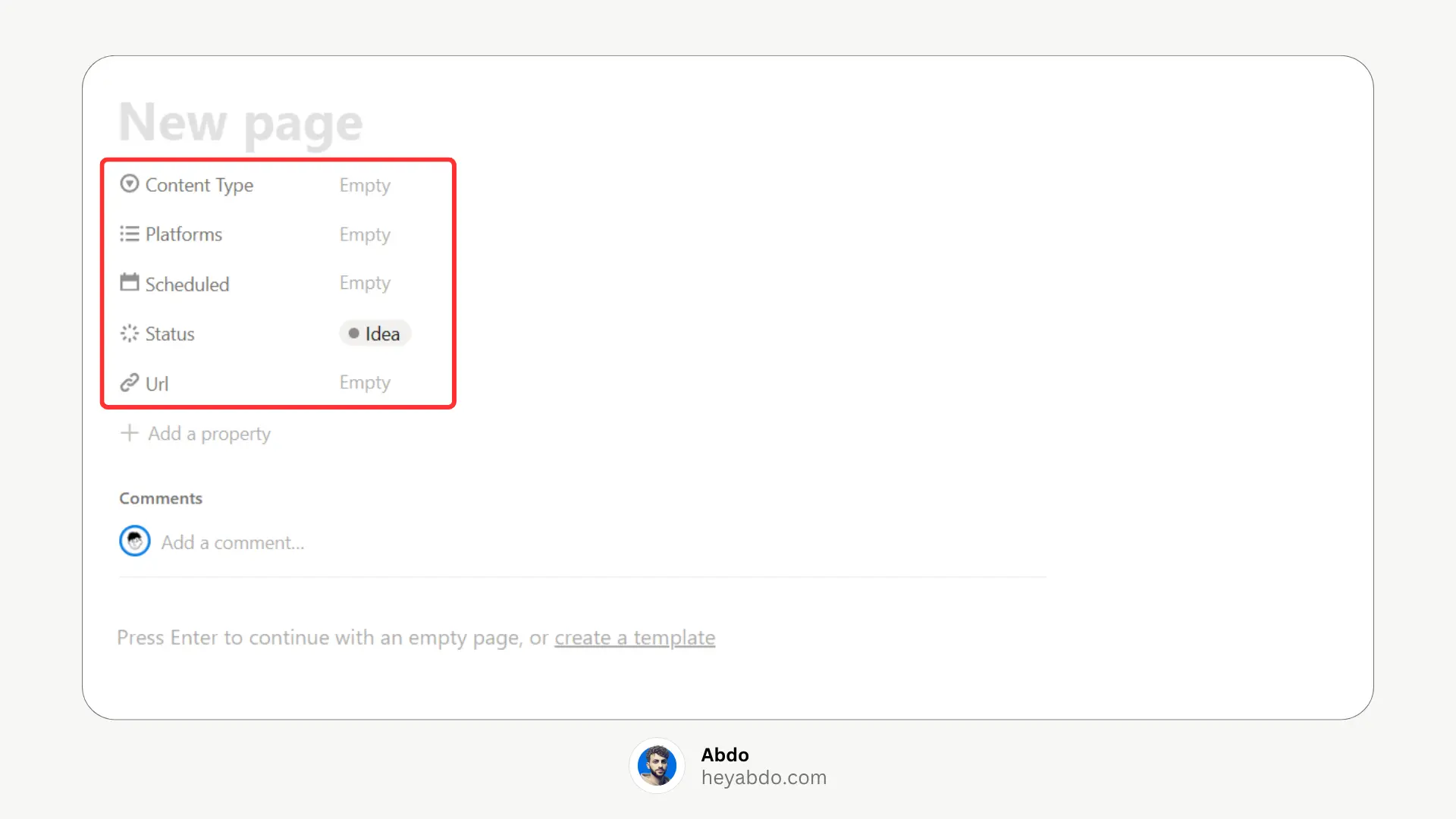
Add useful properties such as:
Platform (Blog, Instagram, Twitter, etc.)
Status (Idea, Draft, Scheduled, Published)
Content Type (Reels, Blog, Thread, etc.)
Assigned To (if working with a team)
URL (once it's live)
4. Switch Between Views
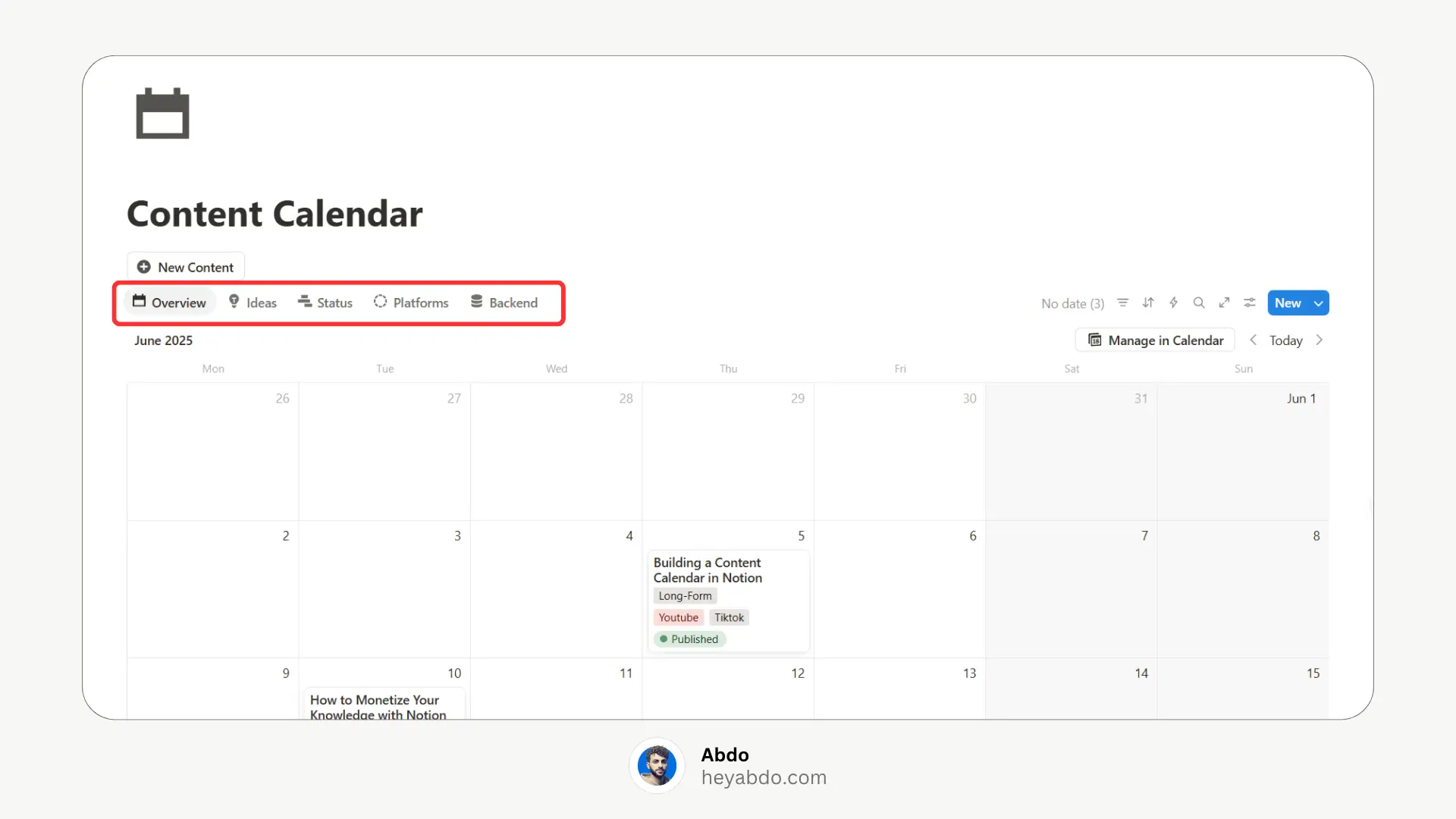
Add other views like:
Board View by Status (like a Kanban board)
Table View for quick filtering and editing
List View for Platforms
5. Use Templates for Each Post
Inside each content entry, create a template for writing drafts, checklists, and embedding images or research.
Free Notion Content Calendar Template
To save you time, I’ve created a free Notion content calendar template that includes:
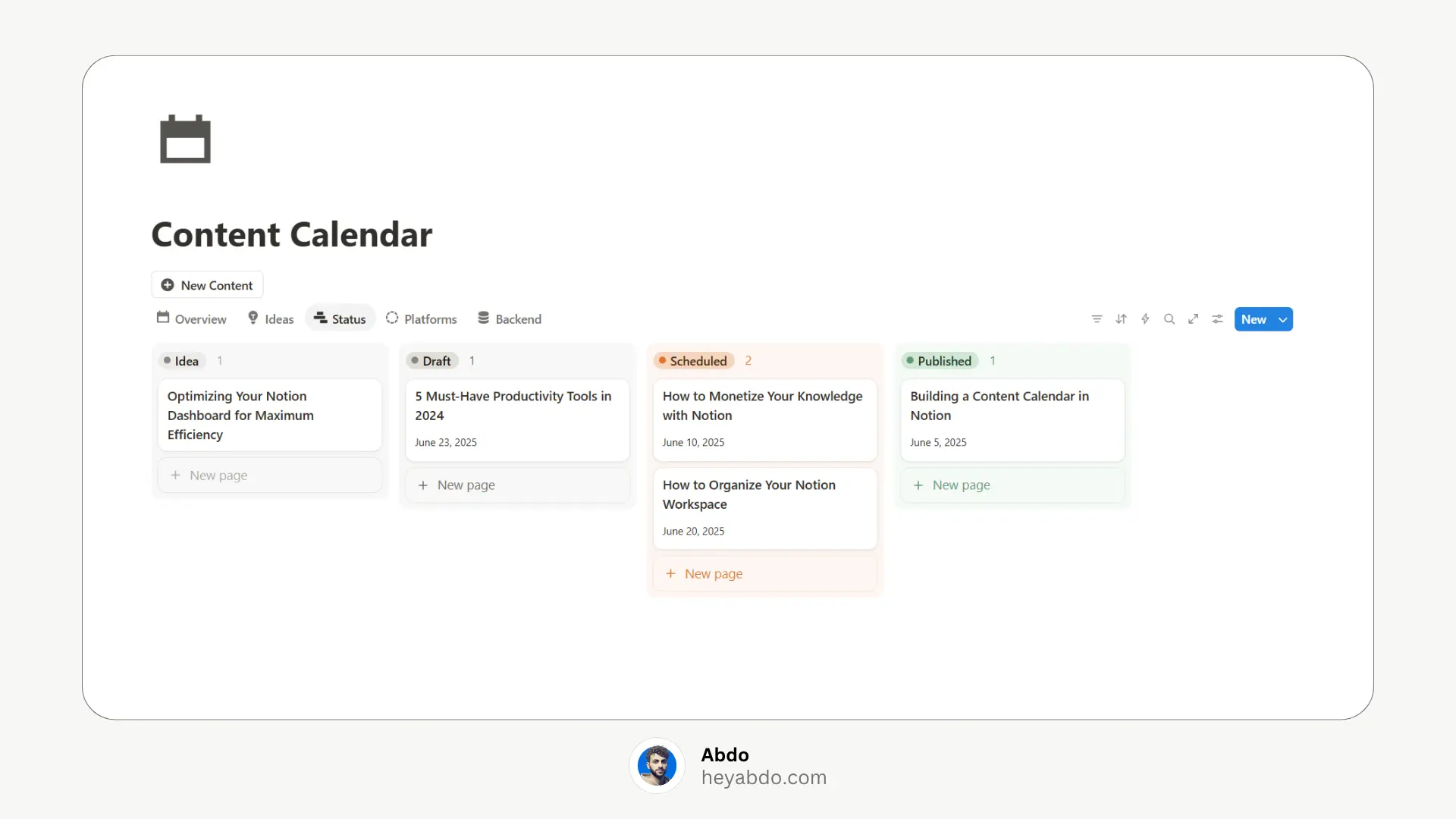
Calendar + board views
Pre-built properties
Post template
Clean and aesthetic layout
👉 Click here to "Duplicate" the free template
Tips for Using Your Content Calendar
Batch schedule your content weekly or monthly
Use tags and filters to stay focused on certain platforms
Review your analytics monthly and update your calendar accordingly
Duplicate and reuse templates for consistency
Keep your content statuses updated to stay on track
What is a Notion Content Calendar?
A Notion content calendar is a customizable database that helps you plan, schedule, and manage your content across platforms like blogs, YouTube, newsletters, or social media — all in one place.
You can use it to:
Schedule upcoming posts
Track content status (idea, writing, published)
Assign tasks if you're working in a team
Organize by channel, date, or topic
Why Use Notion for Your Content Calendar?
Here’s why Notion is perfect for content planning:
- All-in-one workspace – combine writing, planning, and publishing
- Custom views – calendar, kanban board, table, gallery
- Tags & filters – organize content by platform, type, or status
- Templates – duplicate for recurring content like weekly posts
- Team-friendly – collaborate with ease in shared workspaces
How to Create a Content Calendar in Notion?
Here’s a step-by-step walkthrough to build your own:
1. Create a New Page
Start by creating a new Notion page and give it a name like “Content Calendar.”
2. Add a Database
Choose “Calendar” view when creating the database so you can see your posts in a calendar format.
3. Customize Your Properties
Add useful properties such as:
Platform (Blog, Instagram, Twitter, etc.)
Status (Idea, Draft, Scheduled, Published)
Content Type (Reels, Blog, Thread, etc.)
Assigned To (if working with a team)
URL (once it's live)
4. Switch Between Views
Add other views like:
Board View by Status (like a Kanban board)
Table View for quick filtering and editing
List View for Platforms
5. Use Templates for Each Post
Inside each content entry, create a template for writing drafts, checklists, and embedding images or research.
Free Notion Content Calendar Template
To save you time, I’ve created a free Notion content calendar template that includes:
Calendar + board views
Pre-built properties
Post template
Clean and aesthetic layout
👉 Click here to "Duplicate" the free template
Tips for Using Your Content Calendar
Batch schedule your content weekly or monthly
Use tags and filters to stay focused on certain platforms
Review your analytics monthly and update your calendar accordingly
Duplicate and reuse templates for consistency
Keep your content statuses updated to stay on track

About
Maximize your Notion
workflow
Maximize your Notion
workflow
help people get more out of Notion without the complexity. With over 50,000 downloads, my minimalist templates support Startups, students, creators, and entrepreneurs in organizing their life and work with ease.
FAQ
Can I use this Notion calendar for social media too?
Is this suitable for teams?
Can I automate Notion with scheduling tools?
Do I need a paid Notion account?
How do I duplicate the template?
Need a custom Notion system?
I build complete operating systems tailored to your business. Book a free 15-min call.
Book a Free Call →
Love it? Share it!


Need Something Custom?
Need a Custom Workspace?
We design and build complete Notion systems tailored specifically to your business — your clients, your services, your workflows. No generic templates.
We design and build complete Notion systems tailored specifically to your business — your clients, your services, your workflows. No generic templates.
Free 15-min strategy call included

Helping you manage your life and business in one place with Notion.
© 2026 Abdo. All rights reserved.
Helping you manage your life and business in one place with Notion.
© 2026 Abdo. All rights reserved.
Helping you manage your life and business in one place with Notion.
© 2026 Abdo. All rights reserved.