⚡ Limited time: Get Agency OS for $99 instead of $175 and save $76
How to Manage Your Blog in Notion (+Free template)
How to Manage Your Blog in Notion (+Free template)
Learn how to manage your entire blog workflow using Notion from idea to publication. Includes a free Notion blog management template!

Whether you're a solo blogger or part of a content team, staying organized is key to publishing consistently and avoiding burnout. Notion is one of the best tools out there to manage your blog and the best part? It’s customizable, aesthetic, and free to start.
In this post, I’ll walk you through how to manage your blog in Notion, what to include in your setup, and share a free template to get you started instantly.
Whether you're a solo blogger or part of a content team, staying organized is key to publishing consistently and avoiding burnout. Notion is one of the best tools out there to manage your blog and the best part? It’s customizable, aesthetic, and free to start.
In this post, I’ll walk you through how to manage your blog in Notion, what to include in your setup, and share a free template to get you started instantly.
Why Use Notion to Manage Your Blog?
Notion gives you an all-in-one workspace to handle everything from planning to publishing:
Centralized content hub
Flexible database views (calendar, kanban, table)
Collaboration-friendly for teams
Custom tags, statuses, and SEO fields
Template buttons for repeatable blog post structures
No more bouncing between Google Docs, Trello, and random sticky notes. With Notion, your entire content workflow lives in one clean dashboard.
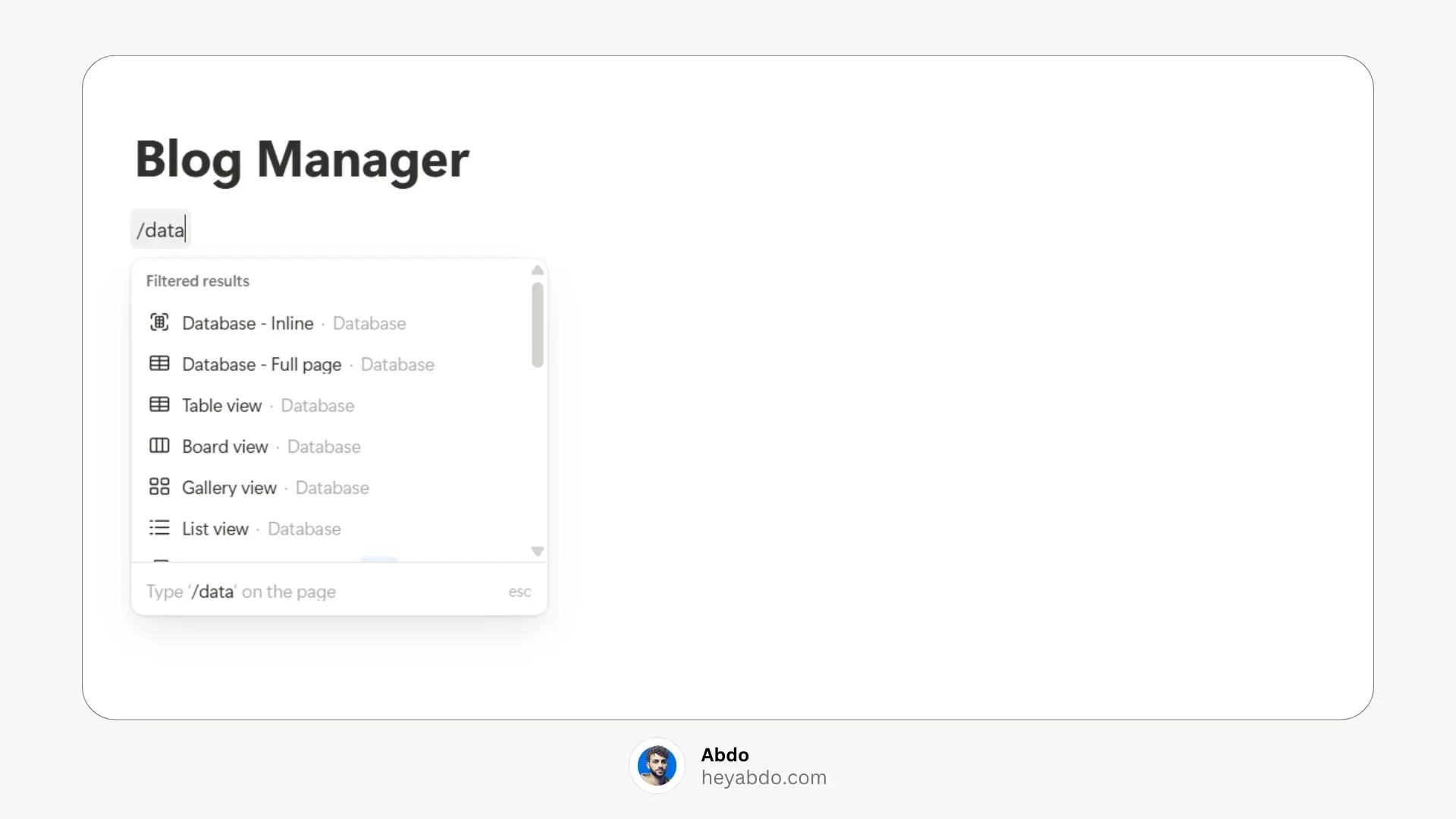
1. Create a Blog Dashboard
Start by setting up a central dashboard where you can access everything related to your blog. You can include:
A content calendar (table or board view)
A list of blog post ideas
A writing progress tracker
A resources section (SEO tools, keyword research, etc.)
2. Organize Blog Post Ideas
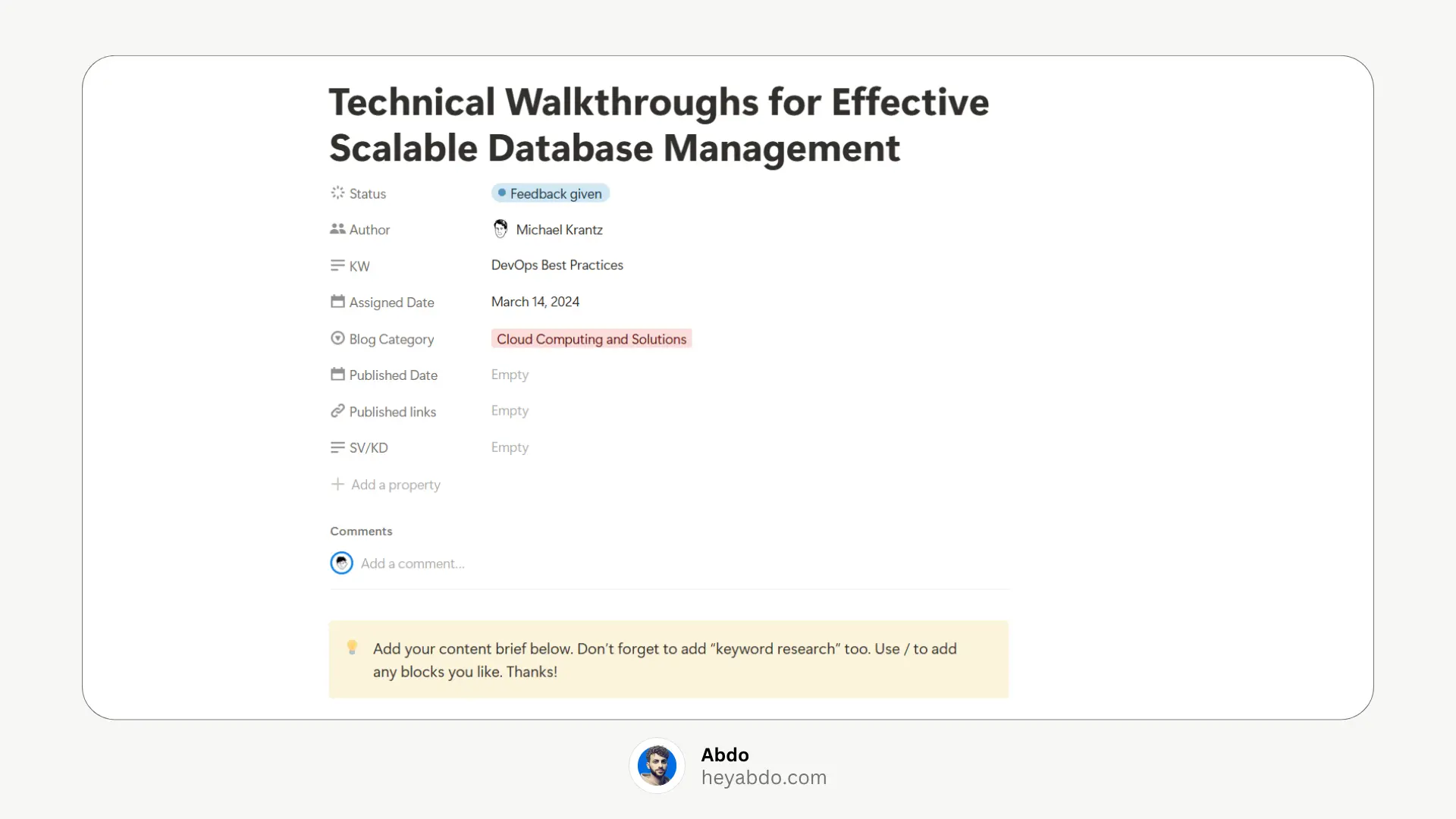
Use a database to store all your blog post ideas. Include columns for:
Title
Status (Idea, Draft, Editing, Published)
Category/Tags
Publish Date
Word Count
SEO Keywords
You can switch between Table, Board, or List views to visualize your content in different ways.
3. Track Your Writing Progress
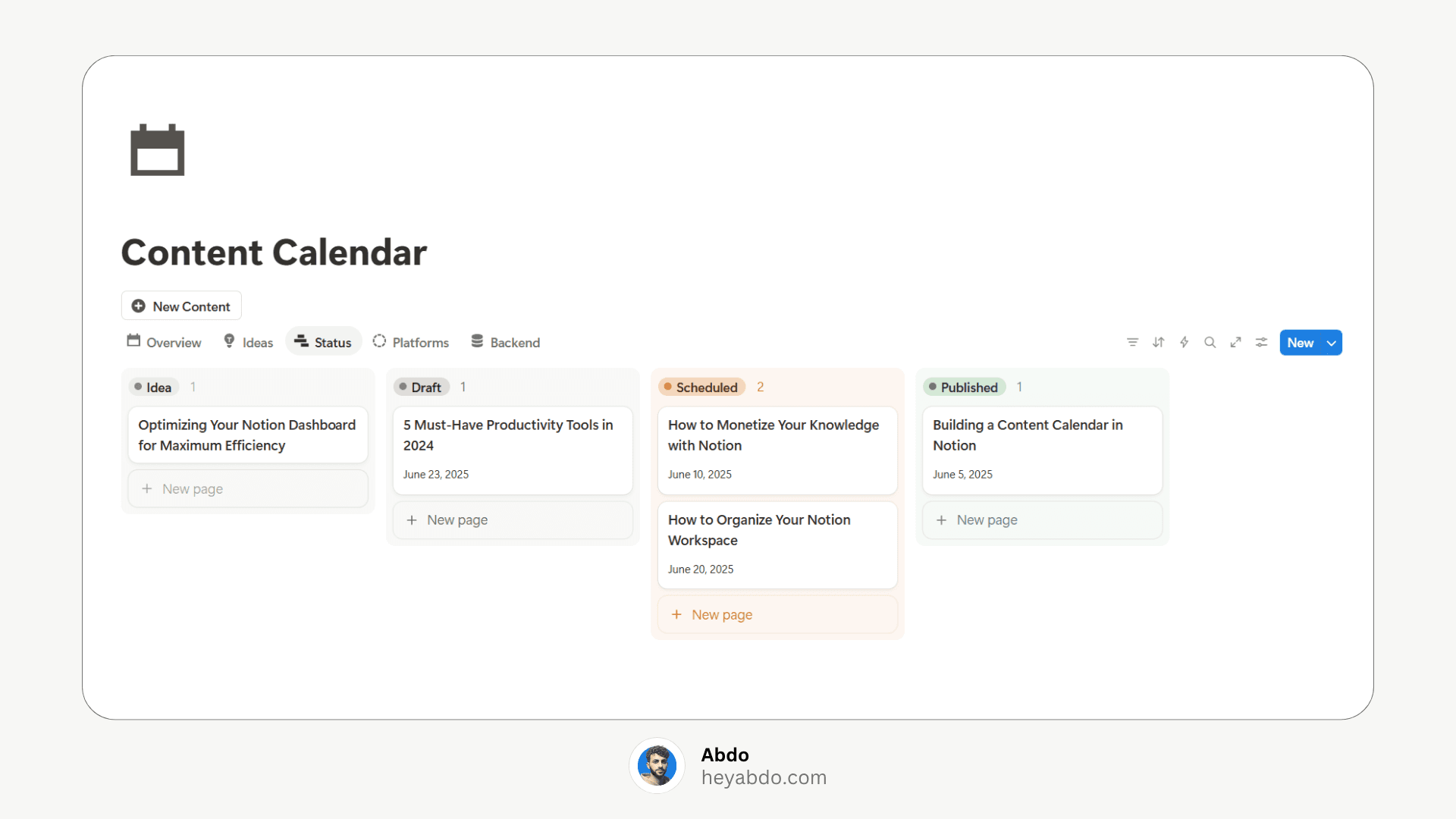
Set up a Kanban board to track where each post is in the writing process:
Ideas → Drafts → Editing → Scheduled → Published
Drag and drop posts between columns as you work on them.
4. Plan with a Content Calendar
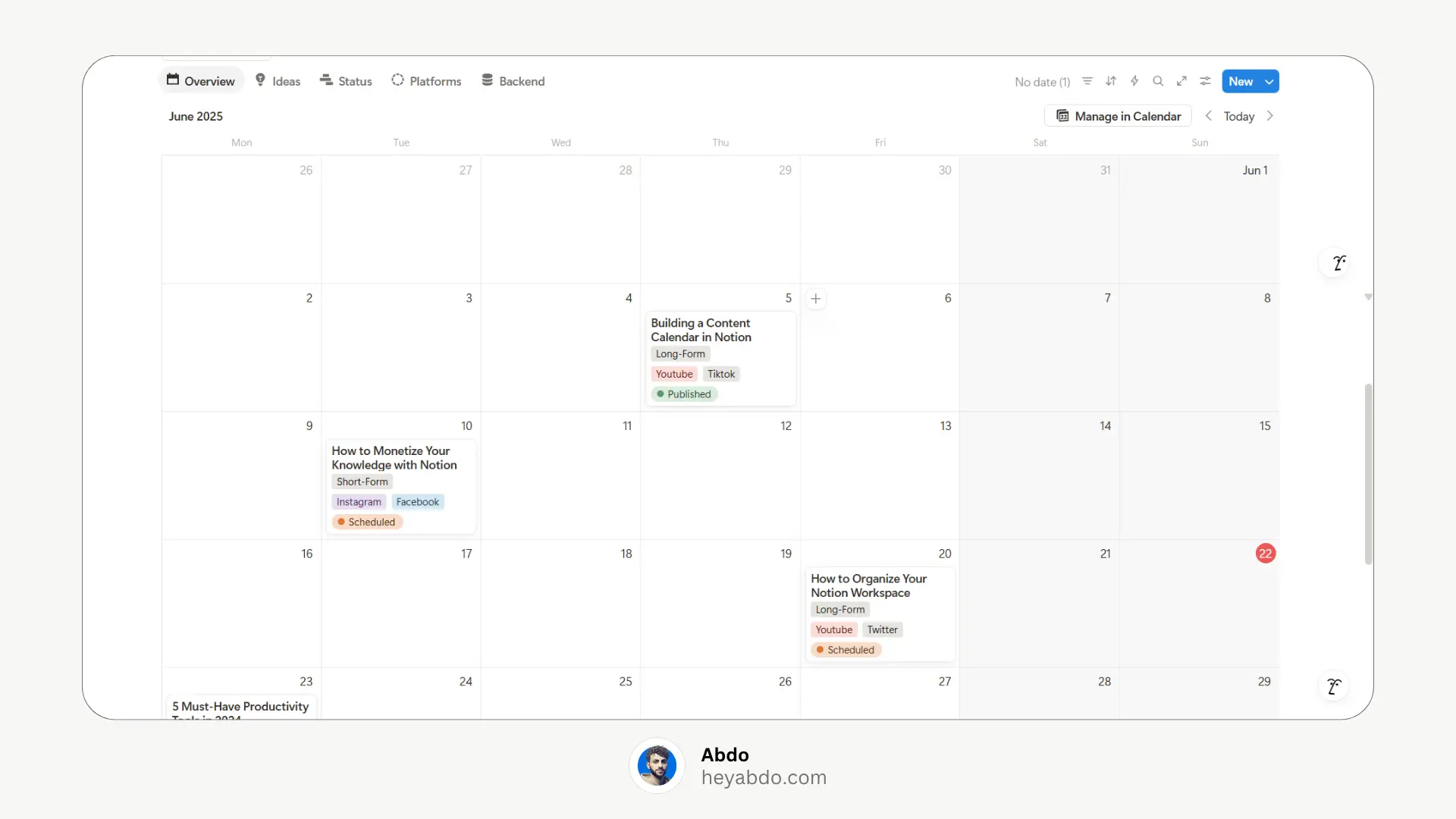
Use Notion’s calendar view to schedule and visualize your publishing timeline. This helps you maintain consistency and avoid last-minute rushes.
5. Store Research & Resources
Create a Resources page where you can save:
SEO tools
Writing templates
Competitor analysis
Helpful articles
Tips for Using Notion to Manage Your Blog
Use linked database views to customize how you see your content (e.g., weekly calendar, by tag, etc.)
Set reminders and deadlines using Notion’s date property.
Use relations if you want to link your blog posts to newsletters, social posts, or authors.
Archive ideas that don’t resonate anymore — it keeps your dashboard focused.
Final Thoughts
Notion can easily become your blog’s central command center — idea tracker, planner, editor, and archive in one. Once you have the structure in place, it’s all about keeping it updated and building consistency.
So if you’re looking to stay organized, publish more consistently, and never lose a blog idea again, give this Notion blog manager a try.
Why Use Notion to Manage Your Blog?
Notion gives you an all-in-one workspace to handle everything from planning to publishing:
Centralized content hub
Flexible database views (calendar, kanban, table)
Collaboration-friendly for teams
Custom tags, statuses, and SEO fields
Template buttons for repeatable blog post structures
No more bouncing between Google Docs, Trello, and random sticky notes. With Notion, your entire content workflow lives in one clean dashboard.
1. Create a Blog Dashboard
Start by setting up a central dashboard where you can access everything related to your blog. You can include:
A content calendar (table or board view)
A list of blog post ideas
A writing progress tracker
A resources section (SEO tools, keyword research, etc.)
2. Organize Blog Post Ideas
Use a database to store all your blog post ideas. Include columns for:
Title
Status (Idea, Draft, Editing, Published)
Category/Tags
Publish Date
Word Count
SEO Keywords
You can switch between Table, Board, or List views to visualize your content in different ways.
3. Track Your Writing Progress
Set up a Kanban board to track where each post is in the writing process:
Ideas → Drafts → Editing → Scheduled → Published
Drag and drop posts between columns as you work on them.
4. Plan with a Content Calendar
Use Notion’s calendar view to schedule and visualize your publishing timeline. This helps you maintain consistency and avoid last-minute rushes.
5. Store Research & Resources
Create a Resources page where you can save:
SEO tools
Writing templates
Competitor analysis
Helpful articles
Tips for Using Notion to Manage Your Blog
Use linked database views to customize how you see your content (e.g., weekly calendar, by tag, etc.)
Set reminders and deadlines using Notion’s date property.
Use relations if you want to link your blog posts to newsletters, social posts, or authors.
Archive ideas that don’t resonate anymore — it keeps your dashboard focused.
Final Thoughts
Notion can easily become your blog’s central command center — idea tracker, planner, editor, and archive in one. Once you have the structure in place, it’s all about keeping it updated and building consistency.
So if you’re looking to stay organized, publish more consistently, and never lose a blog idea again, give this Notion blog manager a try.

About
Maximize your Notion
workflow
Maximize your Notion
workflow
help people get more out of Notion without the complexity. With over 50,000 downloads, my minimalist templates support Startups, students, creators, and entrepreneurs in organizing their life and work with ease.
FAQ
How can I simplify a complex blog dashboard in Notion?
What's the best way to manage multiple blogs or content types in Notion?
How do I streamline my writing and draft process in Notion?
How do I reduce friction moving from idea to publication?
How can I keep my Notion blog workflow minimal but effective?
Need a custom Notion system?
I build complete operating systems tailored to your business. Book a free 15-min call.
Book a Free Call →
Love it? Share it!


Need Something Custom?
Need a Custom Workspace?
We design and build complete Notion systems tailored specifically to your business — your clients, your services, your workflows. No generic templates.
We design and build complete Notion systems tailored specifically to your business — your clients, your services, your workflows. No generic templates.
Free 15-min strategy call included

Helping you manage your life and business in one place with Notion.
© 2026 Abdo. All rights reserved.
Helping you manage your life and business in one place with Notion.
© 2026 Abdo. All rights reserved.
Helping you manage your life and business in one place with Notion.
© 2026 Abdo. All rights reserved.