⚡ Limited time: Get Agency OS for $99 instead of $175 and save $76
10 Best Free Notion To-Do List Templates
10 Best Free Notion To-Do List Templates
Discover the 10 best Notion to-do list templates to stay productive and organized. Free, aesthetic, and functional options included!

Looking for the perfect Notion to-do list template to organize your life? Whether you're a student, solopreneur, or just someone who loves productivity, Notion makes task management beautifully simple.
In this guide, you'll find 10 of the best Notion to-do list templates from minimal to aesthetic to powerful dashboards. All of them are either free or have a free version available.
Looking for the perfect Notion to-do list template to organize your life? Whether you're a student, solopreneur, or just someone who loves productivity, Notion makes task management beautifully simple.
In this guide, you'll find 10 of the best Notion to-do list templates from minimal to aesthetic to powerful dashboards. All of them are either free or have a free version available.
Why Use a To-Do List in Notion?
Notion isn’t just a note-taking app. With its flexible databases and linked views, you can create powerful and aesthetic to-do lists that adapt to your workflow.
Benefits:
All-in-one task management
Custom views (daily, weekly, Kanban)
Aesthetic and personalized designs
Syncs across devices
Integrates with calendars and habit trackers
Best Notion To-Do List Templates
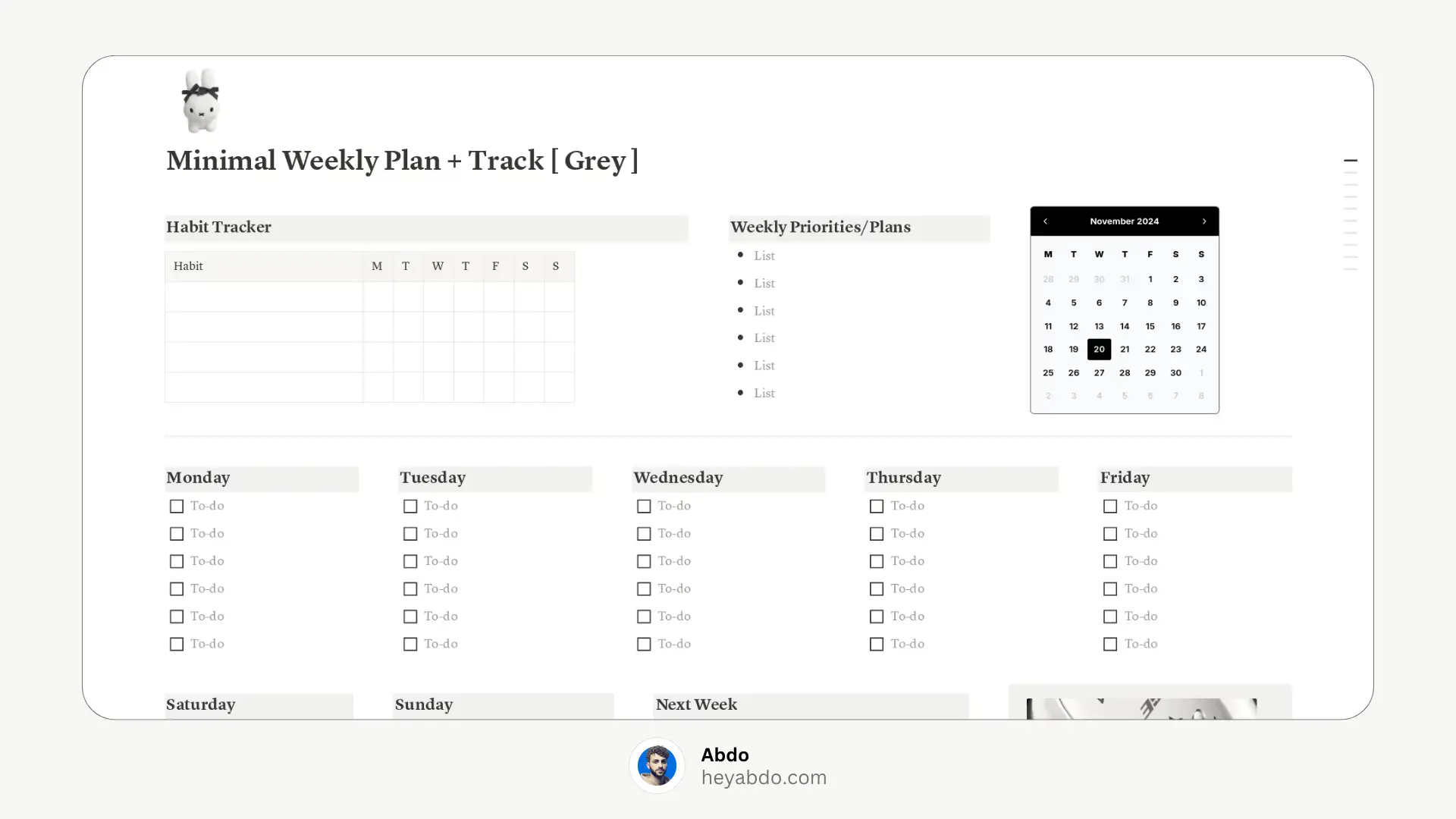
1. Minimal Notion Weekly Plan & Track (Grey)
A beautifully minimal template designed for weekly planning. Its calming grey aesthetic and simple layout make it easy to focus on what matters.
Features:
Weekly overview with checkboxes
Clean, neutral design
Great for those who prefer a minimal workspace
2. Advanced Notion To-Do List
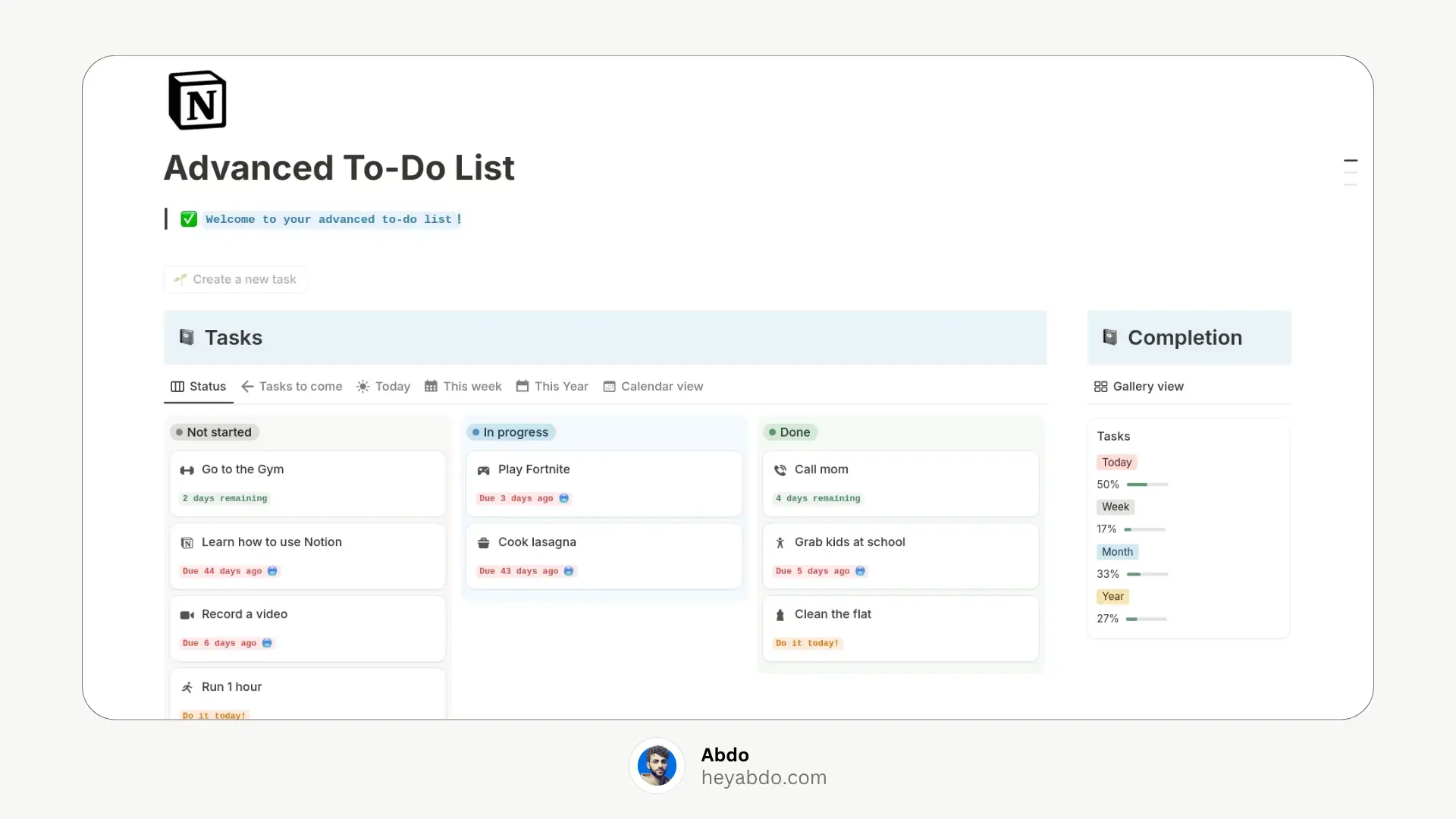
Perfect for productivity pros, this template includes advanced views and automation. Ideal for those managing multiple priorities.
Features:
Task status (To Do, Doing, Done)
Priority, due dates, filters
Kanban and calendar views
Clean design with advanced sorting
3. Notion To-Do List by Mablu
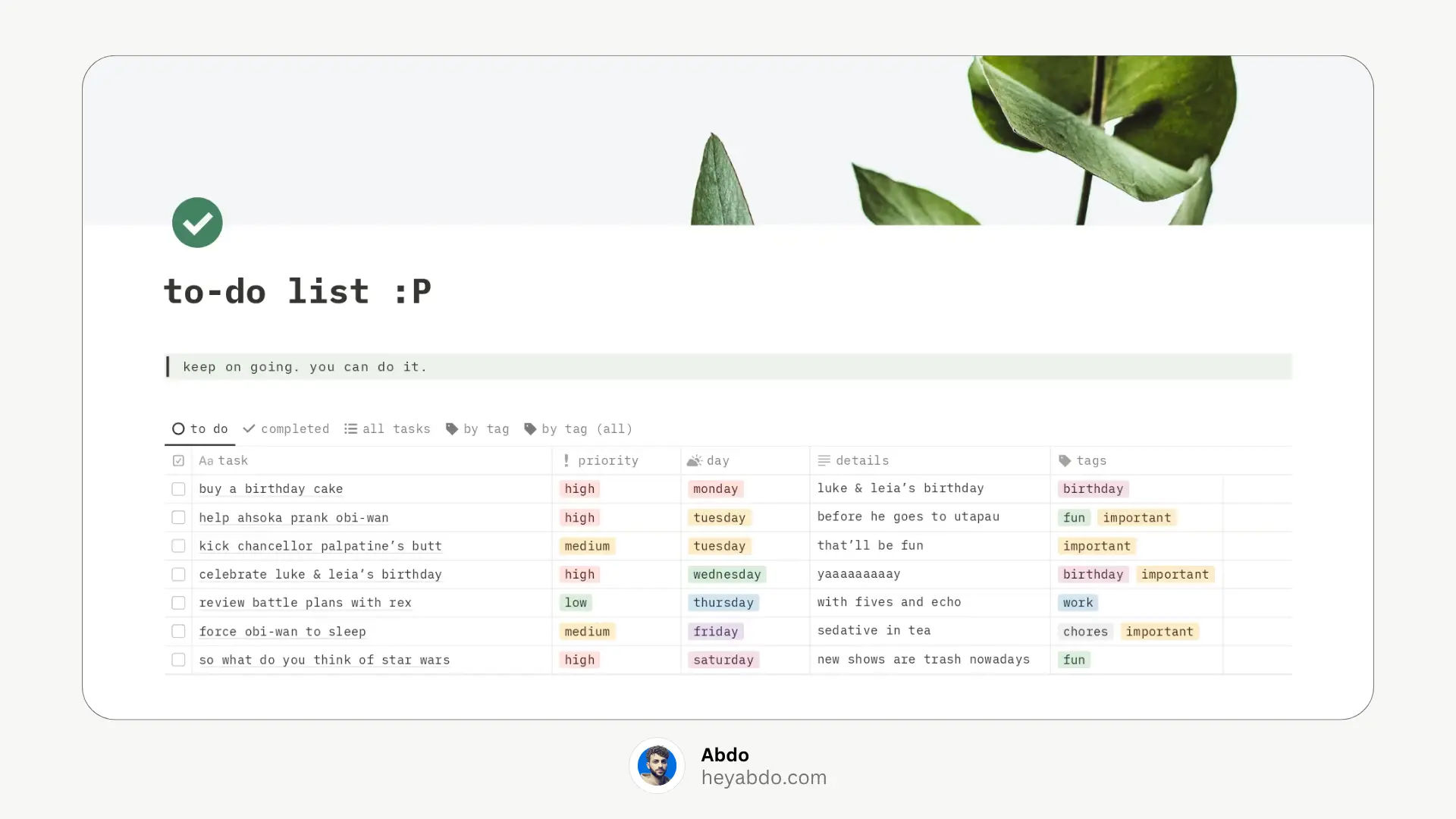
A modern and clean to-do list that’s easy to use. Mablu’s template is great for everyday tasks and weekly planning.
Features:
Weekly view with checkboxes
Simple structure
Dark-mode friendly layout
4. Weekly Notion To-Do List
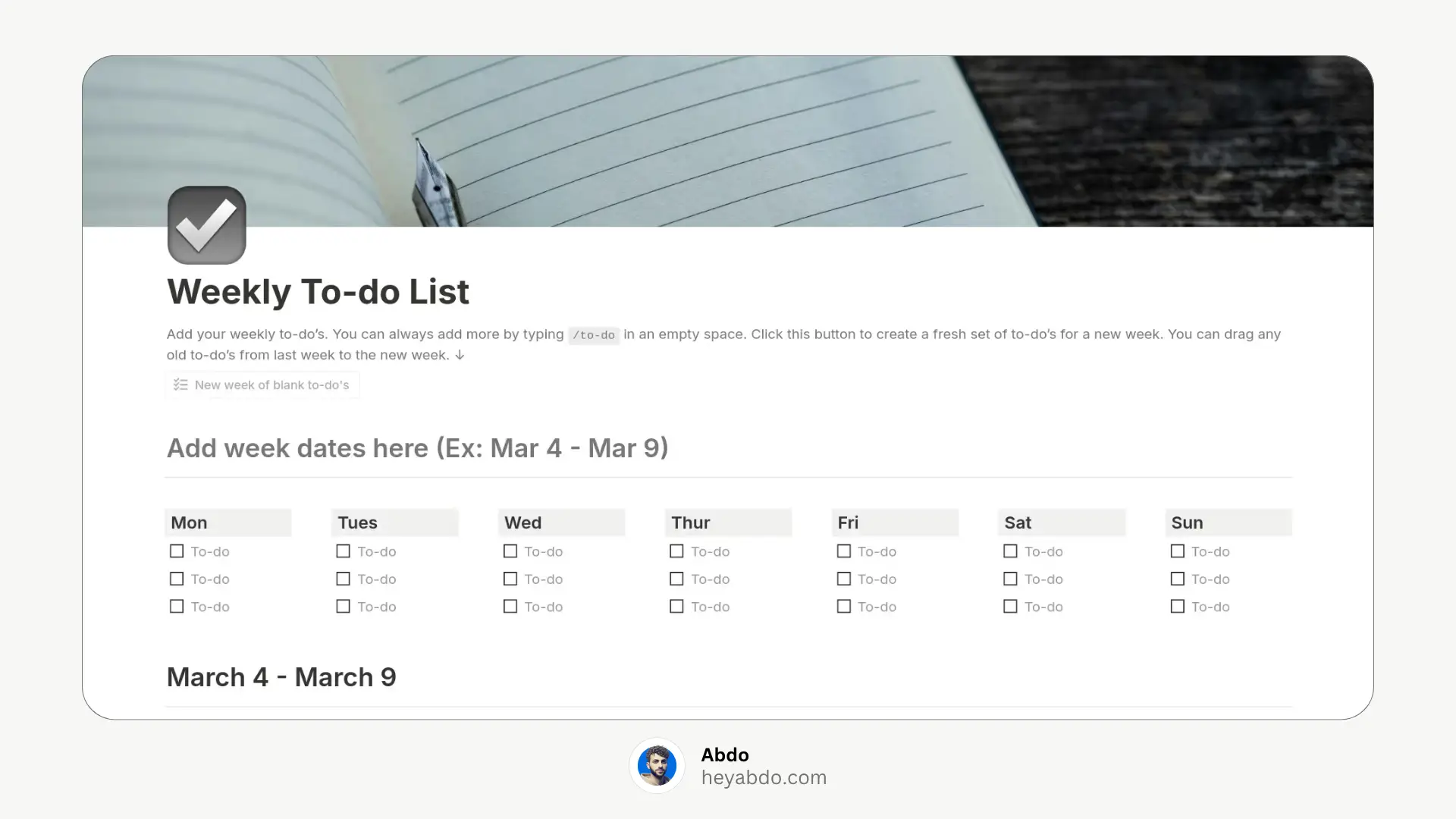
This template focuses on weekly planning and is great for students or professionals who want to organize tasks by day.
Features:
Tasks split into days of the week
Checkbox-style inputs
Easy drag-and-drop between days
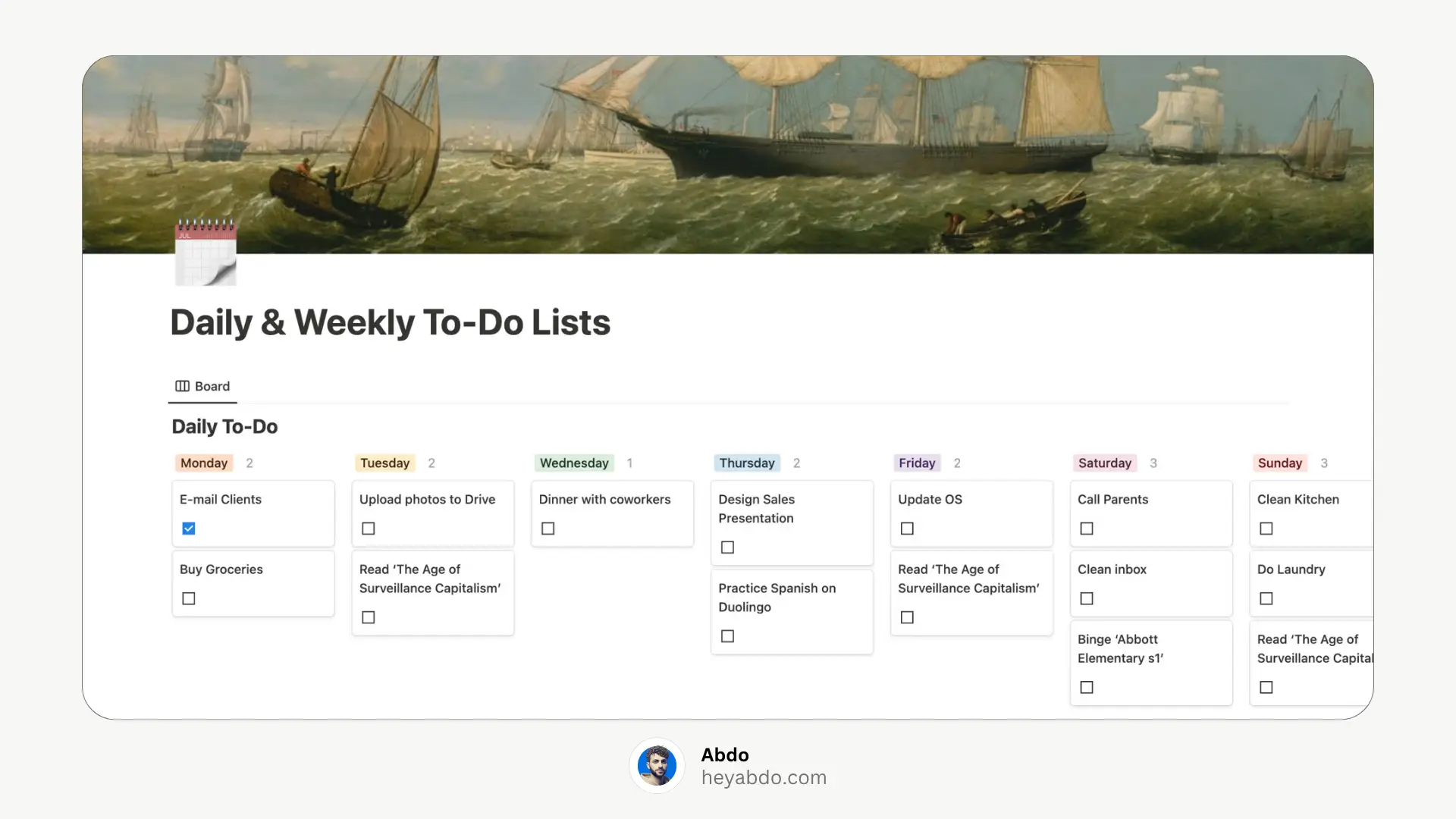
5. Daily and Weekly Notion To-Do Lists
One of the most balanced templates, combining both daily and weekly planning in a single system. Ideal for task batching and routine tracking.
Features:
Daily checklists
Weekly planner
Track habits and tasks together
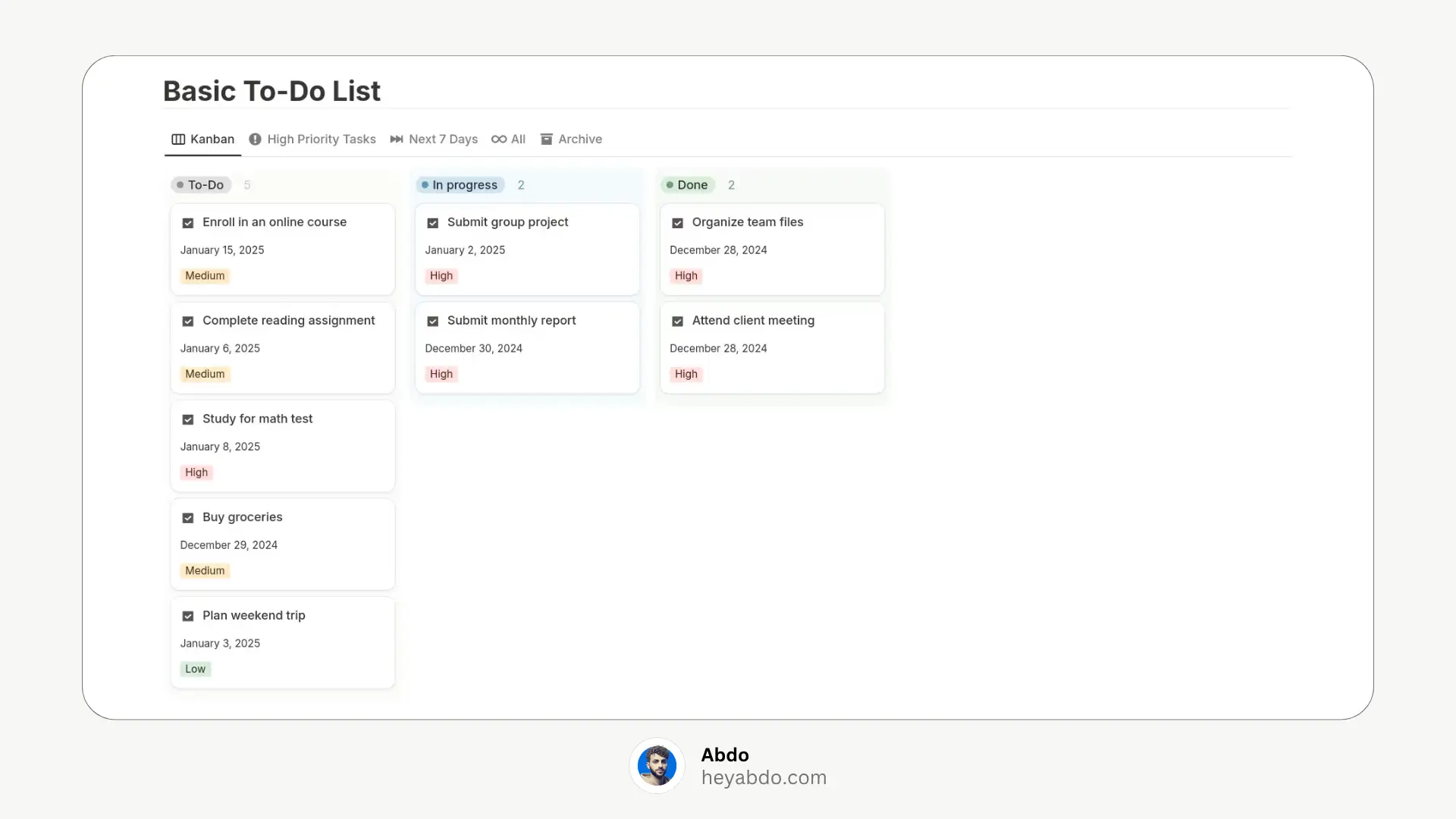
6. Basic Notion To-Do List
The simplest and most beginner-friendly template on this list. Great if you just need a list and nothing more.
Features:
Classic checkbox layout
Add and delete tasks quickly
Ideal for quick notes or grocery lists
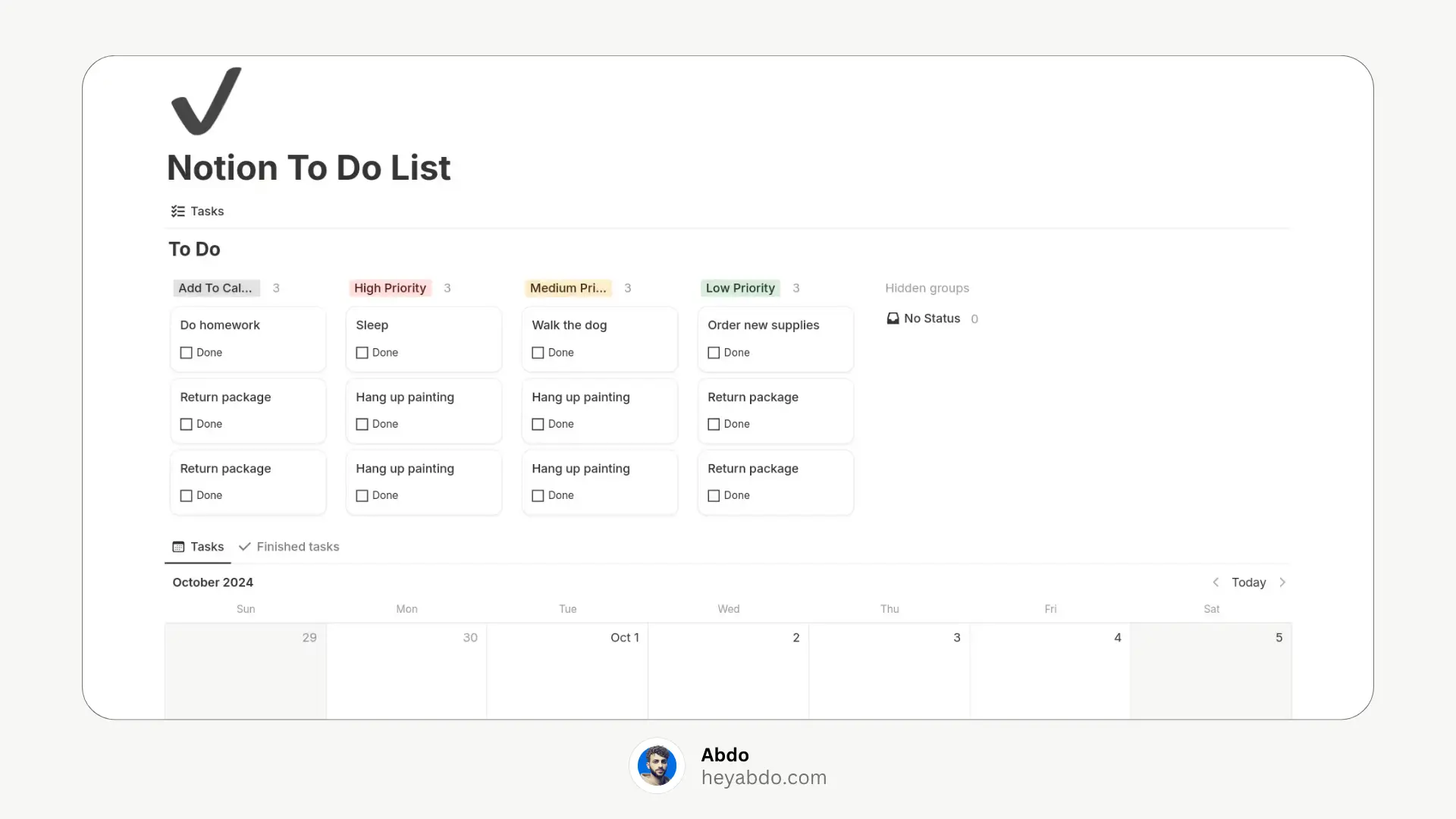
7. Simple Notion To-Do List
A slightly enhanced version of the basic to-do list, offering light customization and a clean interface.
Features:
Filtered task views
Add deadlines or priorities if needed
Simple structure with light improvements
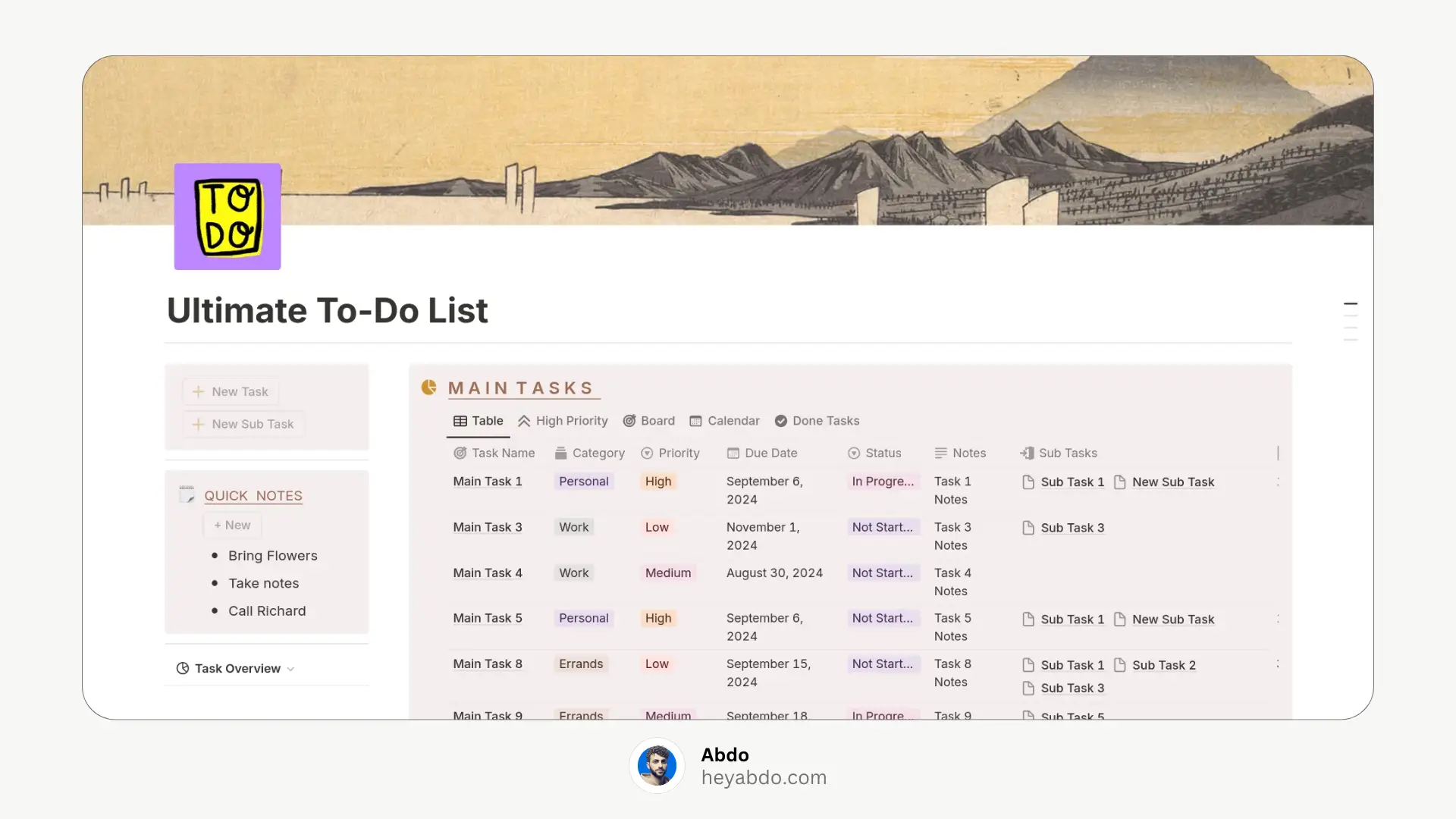
8. Ultimate Notion To-Do List
As the name suggests, this template is packed with features for managing tasks across multiple projects or areas of life.
Features:
Custom views: daily, weekly, completed
Tags, priorities, and deadlines
Great for freelancers and teams
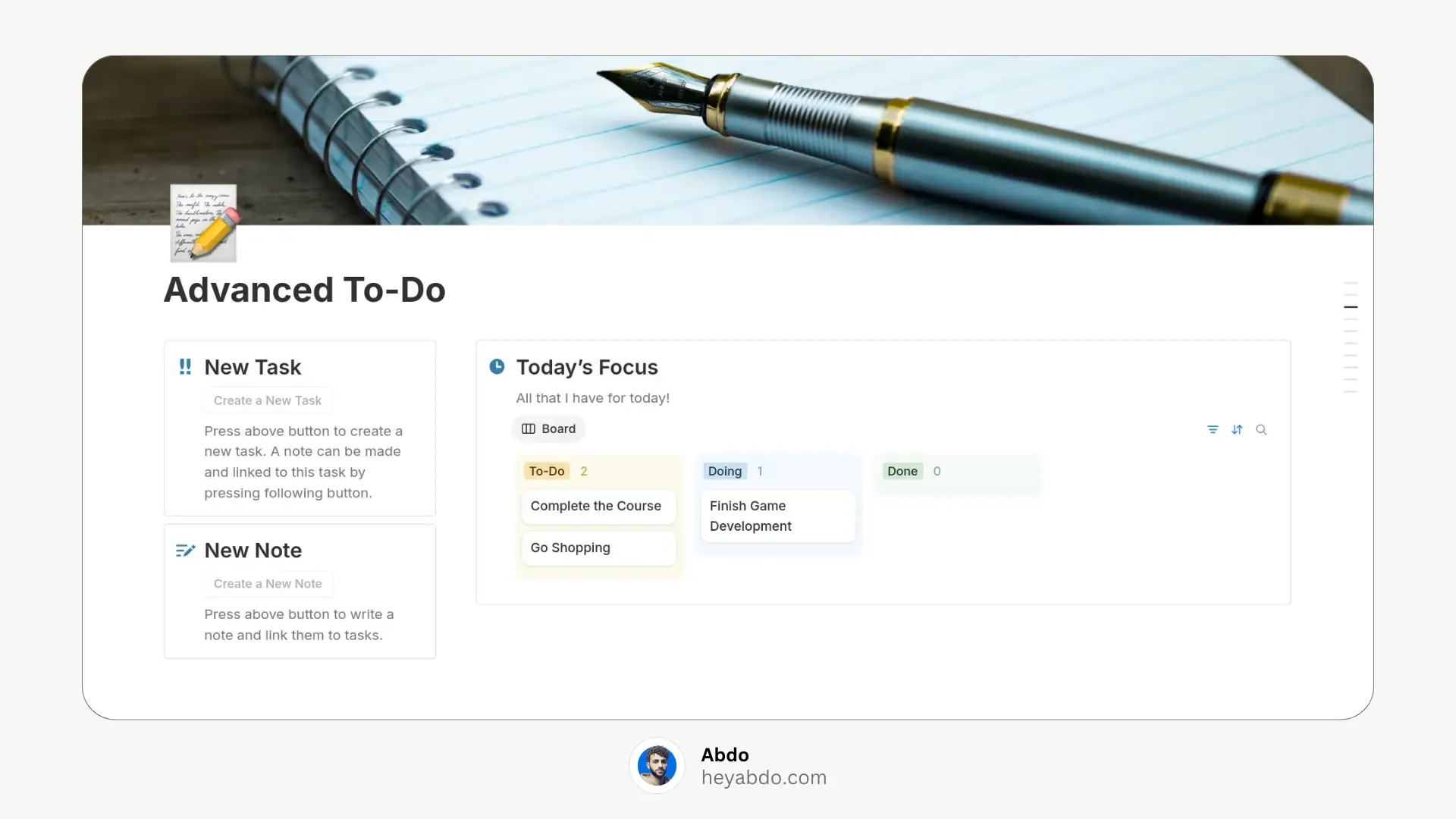
9. Advanced To-Do List
This version of the advanced to-do system uses toggles, categories, and a more personal layout for better task organization.
Features:
Sectioned tasks (Work, Personal, Errands)
Priorities, due dates, and toggles
Good for personal productivity systems
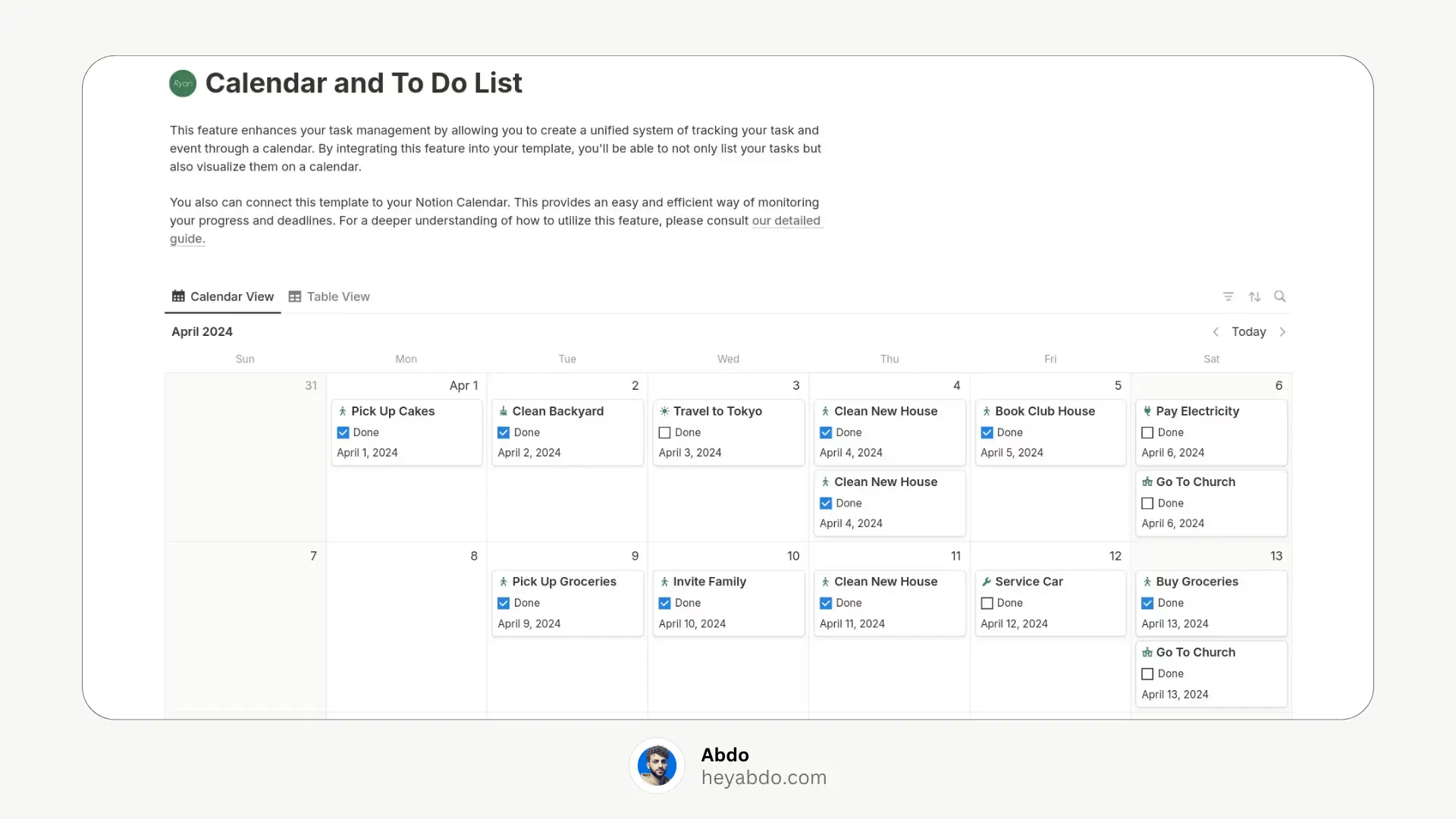
10. Calendar and To‑Do List
Ideal for: Users who need time-specific task planning
Features: Calendar-integrated tasks with checklist support—perfect for balancing deadlines and events
How to Choose the Right To-Do List Template?
Ask yourself:
Do I want daily or weekly views?
Am I looking for something minimal or aesthetic?
Do I need habit tracking or project planning too?
Will I use it on mobile or desktop more?
Start simple, then customize as you go. That’s the beauty of Notion.
Why Use a To-Do List in Notion?
Notion isn’t just a note-taking app. With its flexible databases and linked views, you can create powerful and aesthetic to-do lists that adapt to your workflow.
Benefits:
All-in-one task management
Custom views (daily, weekly, Kanban)
Aesthetic and personalized designs
Syncs across devices
Integrates with calendars and habit trackers
Best Notion To-Do List Templates
1. Minimal Notion Weekly Plan & Track (Grey)
A beautifully minimal template designed for weekly planning. Its calming grey aesthetic and simple layout make it easy to focus on what matters.
Features:
Weekly overview with checkboxes
Clean, neutral design
Great for those who prefer a minimal workspace
2. Advanced Notion To-Do List
Perfect for productivity pros, this template includes advanced views and automation. Ideal for those managing multiple priorities.
Features:
Task status (To Do, Doing, Done)
Priority, due dates, filters
Kanban and calendar views
Clean design with advanced sorting
3. Notion To-Do List by Mablu
A modern and clean to-do list that’s easy to use. Mablu’s template is great for everyday tasks and weekly planning.
Features:
Weekly view with checkboxes
Simple structure
Dark-mode friendly layout
4. Weekly Notion To-Do List
This template focuses on weekly planning and is great for students or professionals who want to organize tasks by day.
Features:
Tasks split into days of the week
Checkbox-style inputs
Easy drag-and-drop between days
5. Daily and Weekly Notion To-Do Lists
One of the most balanced templates, combining both daily and weekly planning in a single system. Ideal for task batching and routine tracking.
Features:
Daily checklists
Weekly planner
Track habits and tasks together
6. Basic Notion To-Do List
The simplest and most beginner-friendly template on this list. Great if you just need a list and nothing more.
Features:
Classic checkbox layout
Add and delete tasks quickly
Ideal for quick notes or grocery lists
7. Simple Notion To-Do List
A slightly enhanced version of the basic to-do list, offering light customization and a clean interface.
Features:
Filtered task views
Add deadlines or priorities if needed
Simple structure with light improvements
8. Ultimate Notion To-Do List
As the name suggests, this template is packed with features for managing tasks across multiple projects or areas of life.
Features:
Custom views: daily, weekly, completed
Tags, priorities, and deadlines
Great for freelancers and teams
9. Advanced To-Do List
This version of the advanced to-do system uses toggles, categories, and a more personal layout for better task organization.
Features:
Sectioned tasks (Work, Personal, Errands)
Priorities, due dates, and toggles
Good for personal productivity systems
10. Calendar and To‑Do List
Ideal for: Users who need time-specific task planning
Features: Calendar-integrated tasks with checklist support—perfect for balancing deadlines and events
How to Choose the Right To-Do List Template?
Ask yourself:
Do I want daily or weekly views?
Am I looking for something minimal or aesthetic?
Do I need habit tracking or project planning too?
Will I use it on mobile or desktop more?
Start simple, then customize as you go. That’s the beauty of Notion.

About
Maximize your Notion
workflow
Maximize your Notion
workflow
help people get more out of Notion without the complexity. With over 50,000 downloads, my minimalist templates support Startups, students, creators, and entrepreneurs in organizing their life and work with ease.
FAQ
What is a Notion to-do list template?
How do I create a to-do list in Notion?
Does Notion have a built-in to-do list template?
Can I use Notion to manage daily tasks?
Where can I find aesthetic Notion to-do list templates?
Need a custom Notion system?
I build complete operating systems tailored to your business. Book a free 15-min call.
Book a Free Call →
Love it? Share it!


Need Something Custom?
Need a Custom Workspace?
We design and build complete Notion systems tailored specifically to your business — your clients, your services, your workflows. No generic templates.
We design and build complete Notion systems tailored specifically to your business — your clients, your services, your workflows. No generic templates.
Free 15-min strategy call included

Helping you manage your life and business in one place with Notion.
© 2026 Abdo. All rights reserved.
Helping you manage your life and business in one place with Notion.
© 2026 Abdo. All rights reserved.
Helping you manage your life and business in one place with Notion.
© 2026 Abdo. All rights reserved.