⚡ Limited time: Get Agency OS for $99 instead of $175 and save $76
How to Make a Stunning Notion Portfolio Template (+ Free Templates)
How to Make a Stunning Notion Portfolio Template (+ Free Templates)
Learn how to create a stunning Notion portfolio using customizable templates. Discover the best Notion portfolio templates, design tips, and real examples to build your perfect online portfolio

Looking for a simple yet powerful way to showcase your work? A Notion portfolio template might be the perfect solution! Notion’s flexibility allows designers, developers, writers, and creatives to build a professional portfolio without coding or expensive website builders.
In this guide, you’ll learn how to create a Notion portfolio, customize templates portfolio options, and even turn it into a Notion portfolio website. Let’s dive in!
Looking for a simple yet powerful way to showcase your work? A Notion portfolio template might be the perfect solution! Notion’s flexibility allows designers, developers, writers, and creatives to build a professional portfolio without coding or expensive website builders.
In this guide, you’ll learn how to create a Notion portfolio, customize templates portfolio options, and even turn it into a Notion portfolio website. Let’s dive in!
🧰 Why Choose Notion for Your Portfolio?
Notion is a versatile workspace that can double as a sleek portfolio template. Benefits include:
✓ No coding required – Drag-and-drop simplicity
✓ Fully customizable – Match your personal brand
✓ Free or low-cost – No need for expensive hosting
✓ Easy to update – Add new projects in seconds
Whether you need a Notion UX portfolio, Notion design portfolio, or a general showcase of your work, Notion makes it effortless.
🛠️ Steps to Build Your Notion Portfolio
1. Set Up a New Notion Page
Open Notion and click + New Page.
Name it (e.g., “My Portfolio”) and choose a cover image/icon.
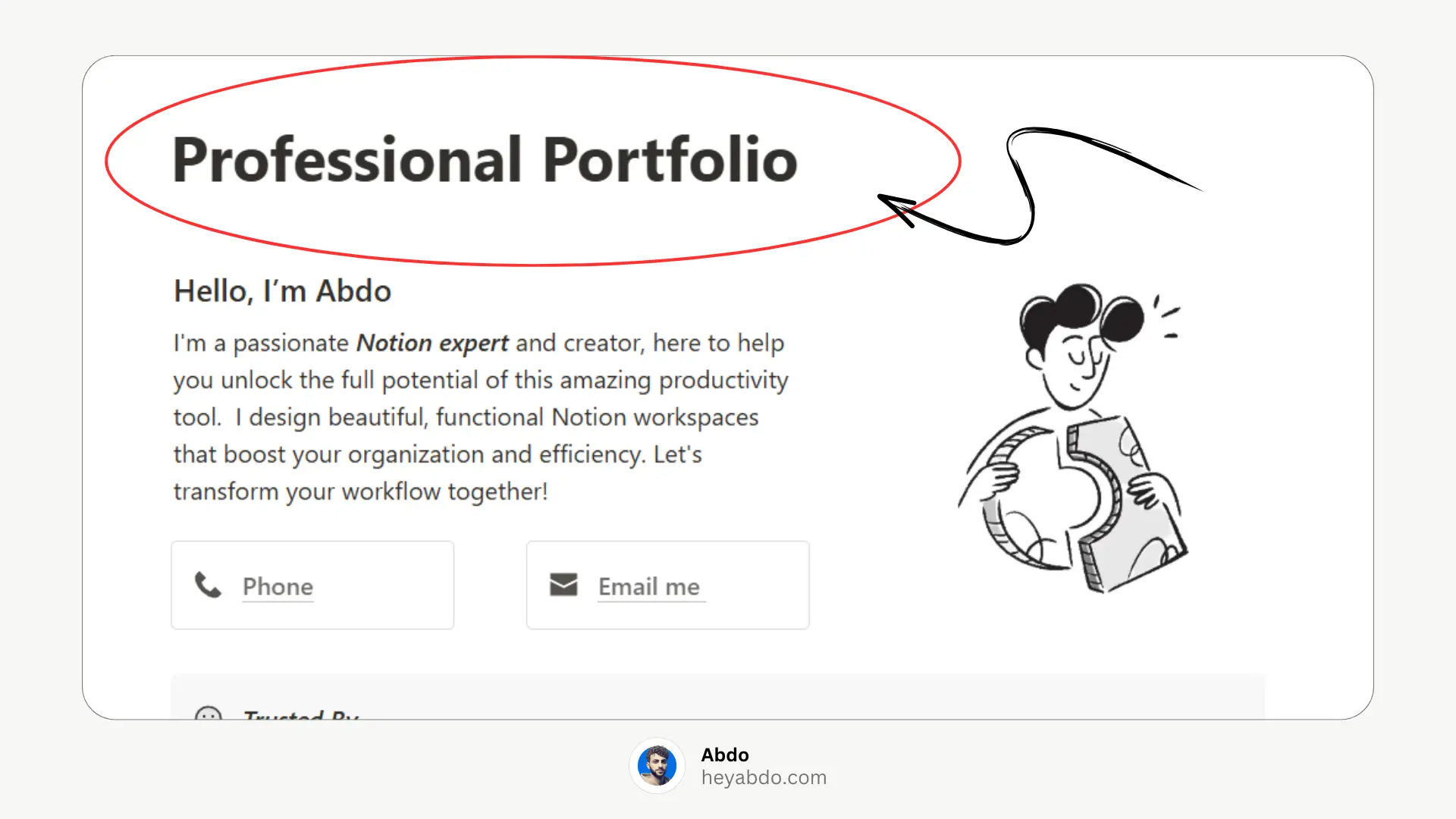
2. Create Your Portfolio Sections
Use headings (H1, H2, H3) to organize your page. Example sections:
About Me (Short bio + skills)
My Work (Projects gallery)
Contact (Email/social links)
✓ Add a Cover and Icon: Personalize your page with a cover image and an icon that represents your brand.
✓ Use Column and Dividers: Organize content using Columns and dividers for clarity.
Pro Tip: Use Notion’s toggle lists to make sections collapsible for a cleaner look.
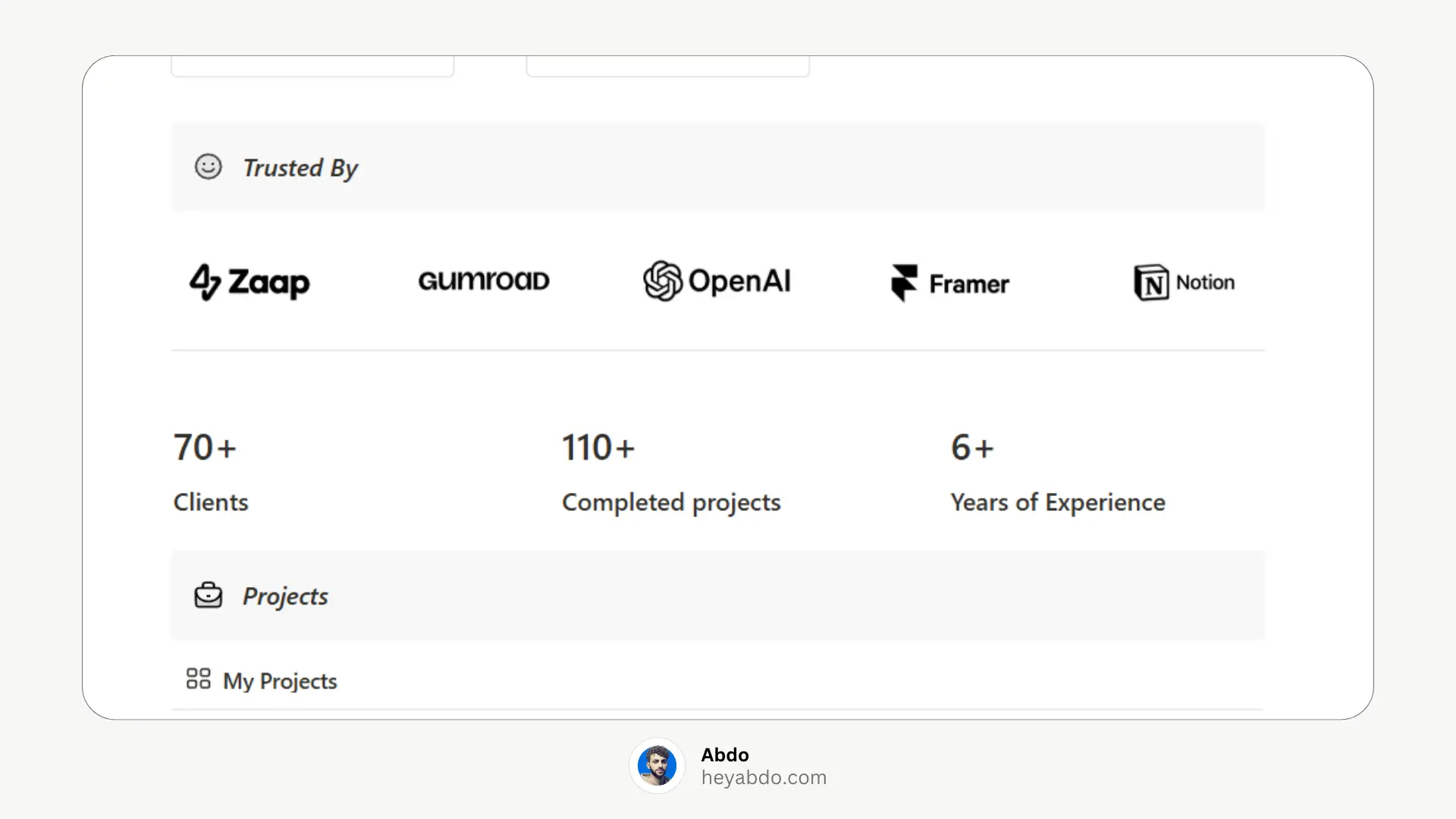
3. Add Projects with Gallery View
Under My Work, type
/galleryto create a visual grid.Click + New to add projects. For each project:
Upload a cover image.
Add a title, description, and tags (e.g., “UI Design,” “2024”).
Link to live projects or case studies.
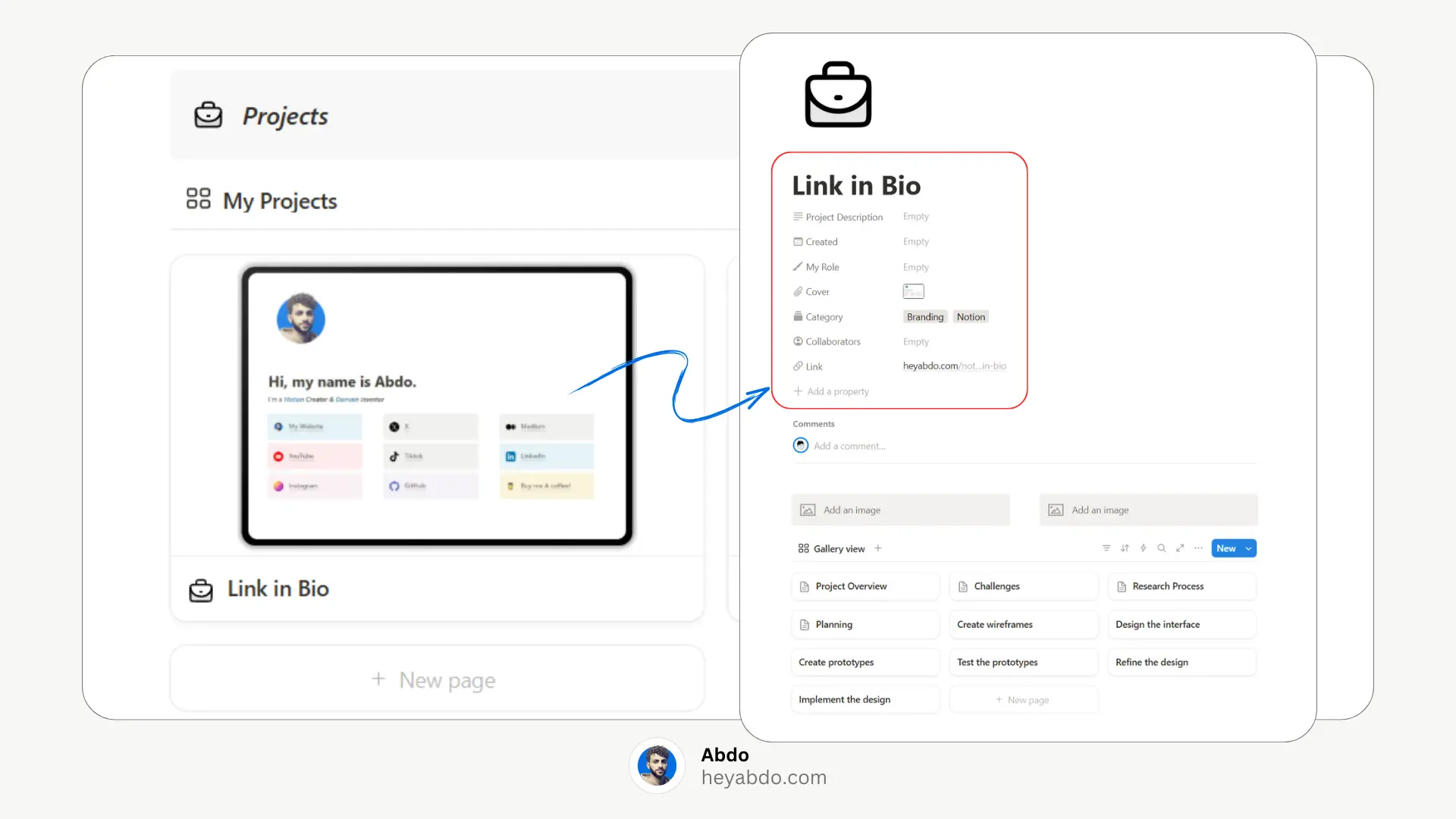
4. Customize the Design
Fonts & colors: Use Notion’s built-in options (e.g., serif/sans-serif).
Icons: Emojis or custom icons from icons8.com.
Dividers: Type
/dividerto break up sections.
5. Publish as a Website
Click Share → Publish to web.
Share the link (e.g.,
yourname.notion.site) on LinkedIn, resumes, etc.
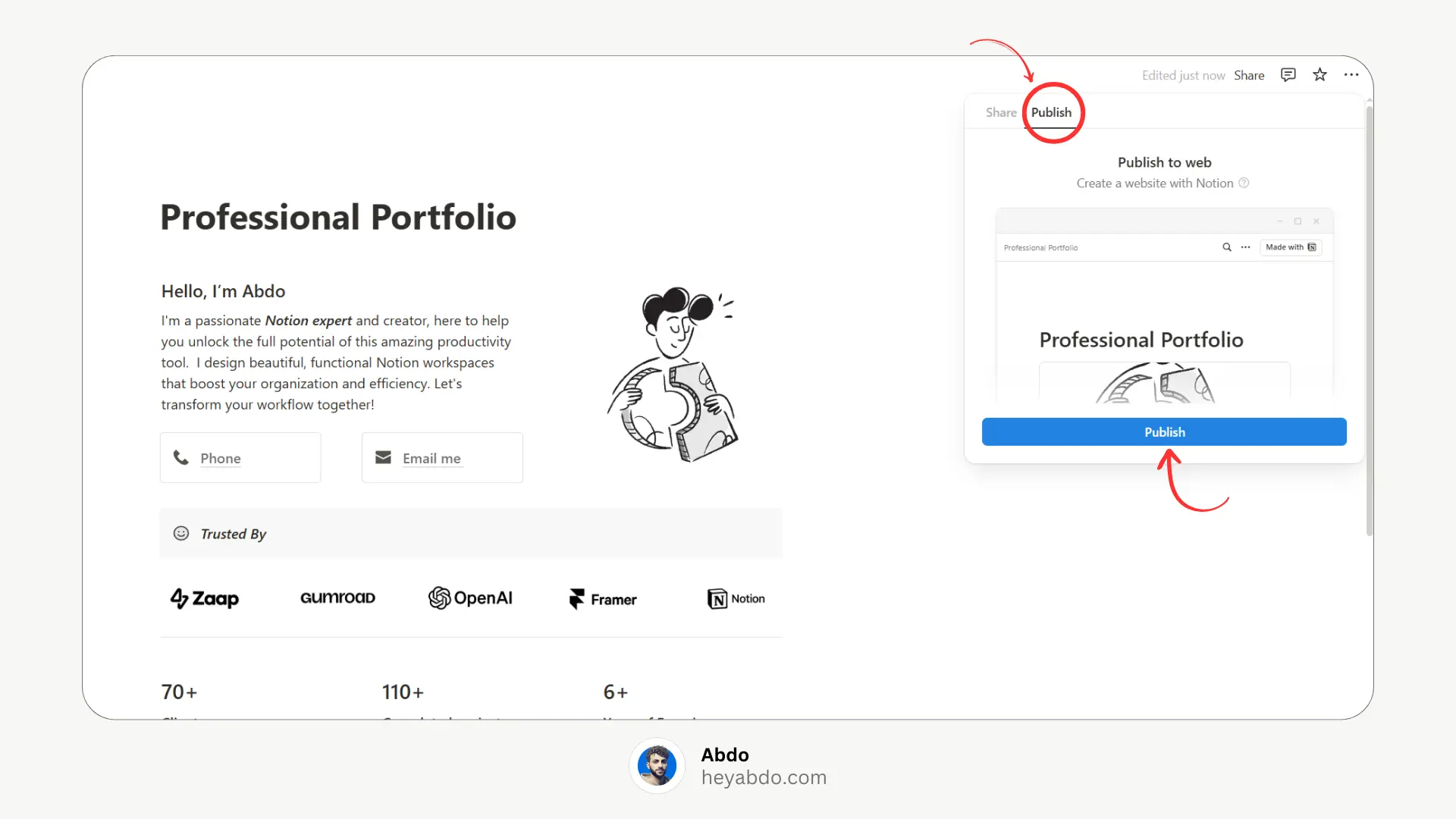
Enable “Search engine indexing” if you want Google to find it.
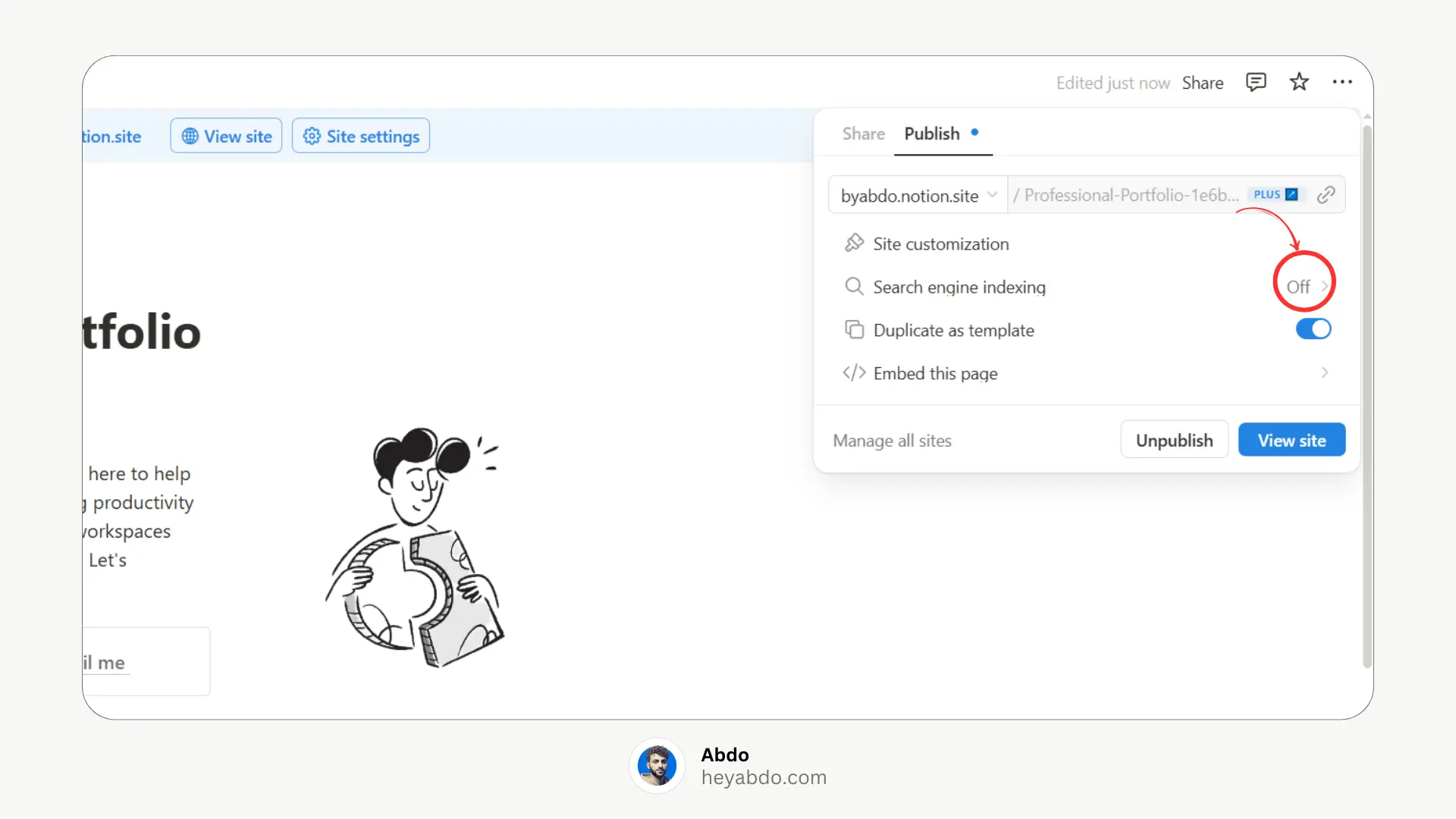
🎥 Watch the Tutorial
For a visual walkthrough, check out our YouTube tutorial:
🌟 Free Notion Portfolio Templates
If you prefer starting with a pre-designed template, here are some excellent Notion portfolio templates:
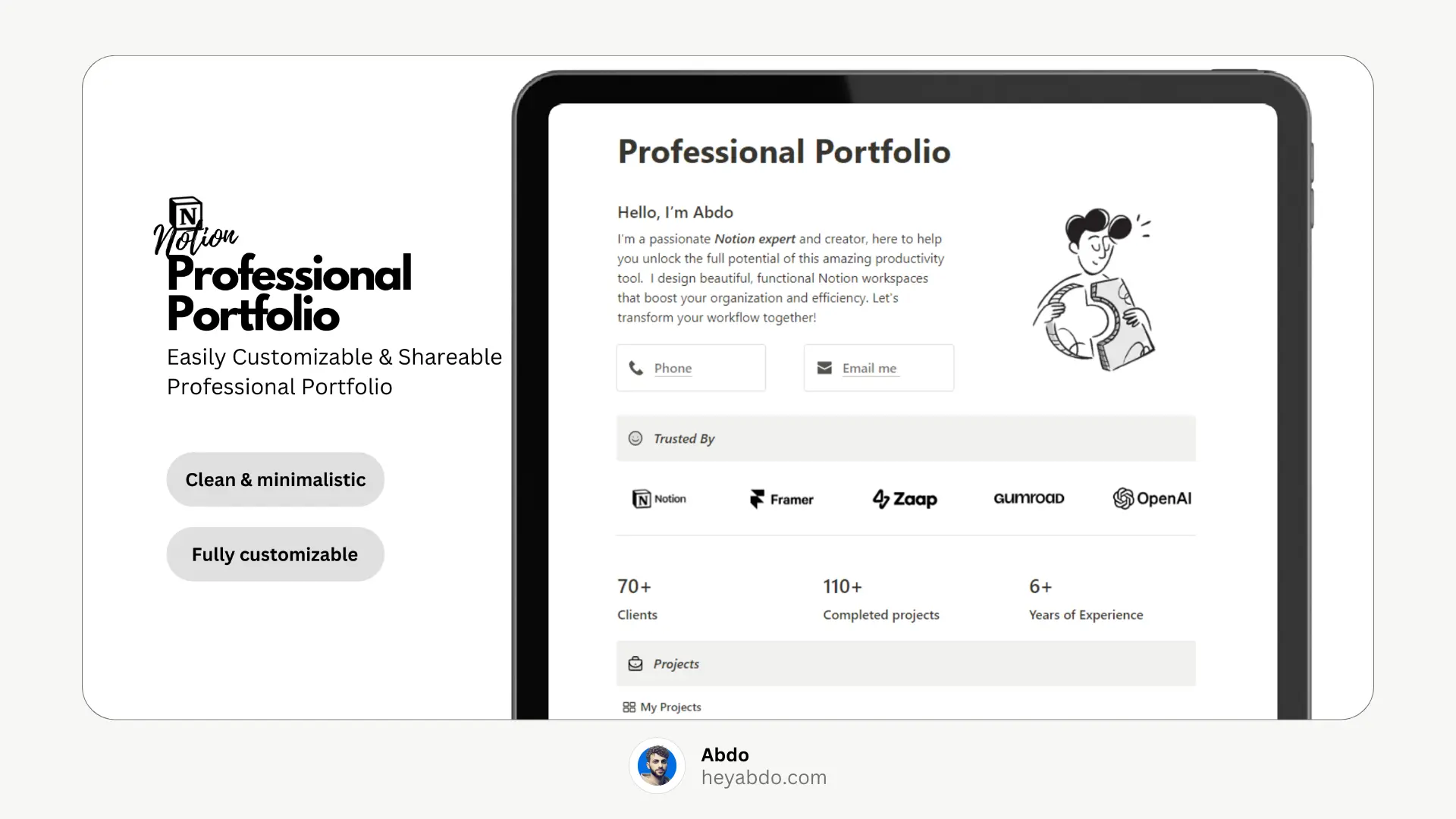
1. Notion Professional Portfolio
A clean and minimal Notion portfolio template designed to help you present yourself professionally. Showcase your expertise, highlight your top projects, share client testimonials, display the number of clients you've worked with, completed projects, and more — all in one sleek layout.
Key Features:
Fully customizable sections including About Me, Skills, Projects, and more
Smooth integration with social media links and contact details for easy networking
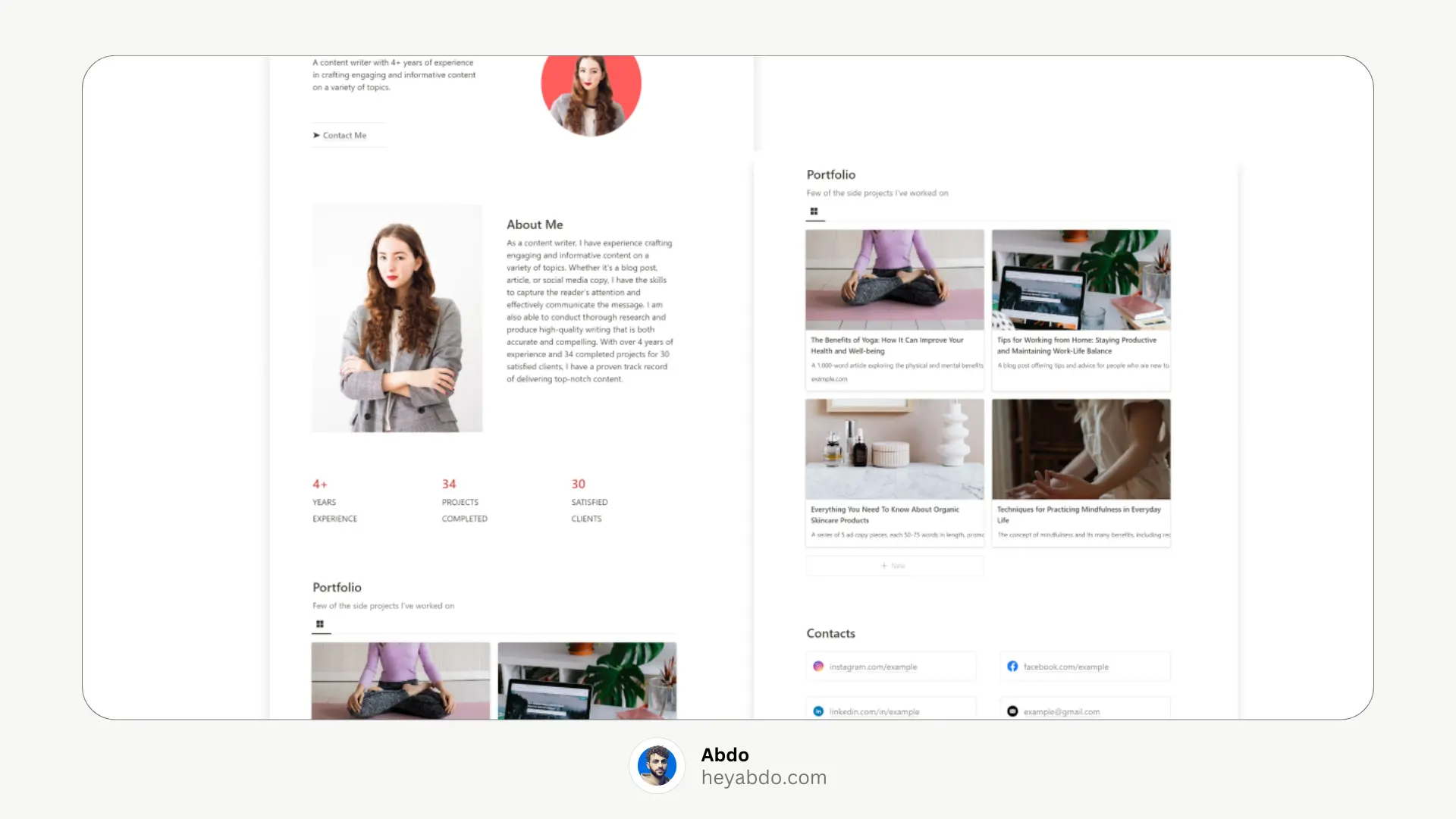
2. Portfolio Notion Template
The Portfolio Notion Template is a powerful and easy-to-use tool that lets you create a professional online portfolio to showcase your skills, experience, and best work. Whether you're applying for jobs or attracting freelance clients, this template helps you present your capabilities clearly and confidently. It's fully customizable, so you can tailor it to reflect your personal brand and professional goals.
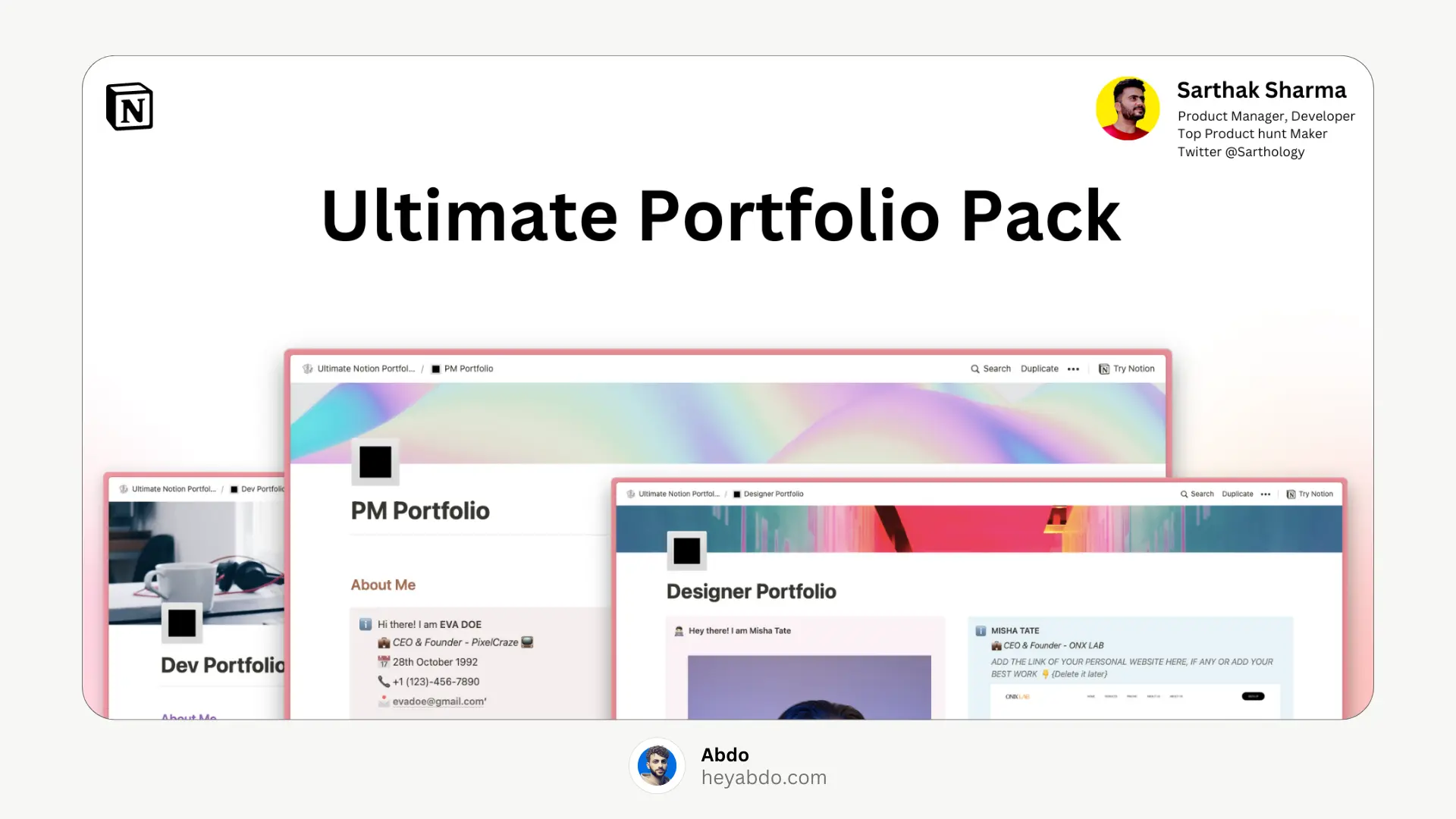
3. Notion Portfolio Pack
A versatile collection of Notion portfolio templates designed to elevate the way you present your professional journey. Inside, you’ll get 4 distinct portfolio layouts, each available in 9 unique themes—adding up to 36 fully customizable templates. Whether you're in tech, design, product management, or any other field, these templates help you build a standout portfolio that reflects your style and strengths.
Key Features:
36 interchangeable Notion portfolio templates to mix and match your perfect setup
Pre-built sections for About, Education, Skills, Case Studies, and more
4. Notion UX portfolio
This Notion portfolio template provides a clear, visually engaging way to showcase your work and personality. Think of it as your personal homepage—where your UX case studies and creative projects live and speak for you.
Key Features:
Dedicated Featured Work section to highlight your top projects
Custom buttons for seamless social media linking
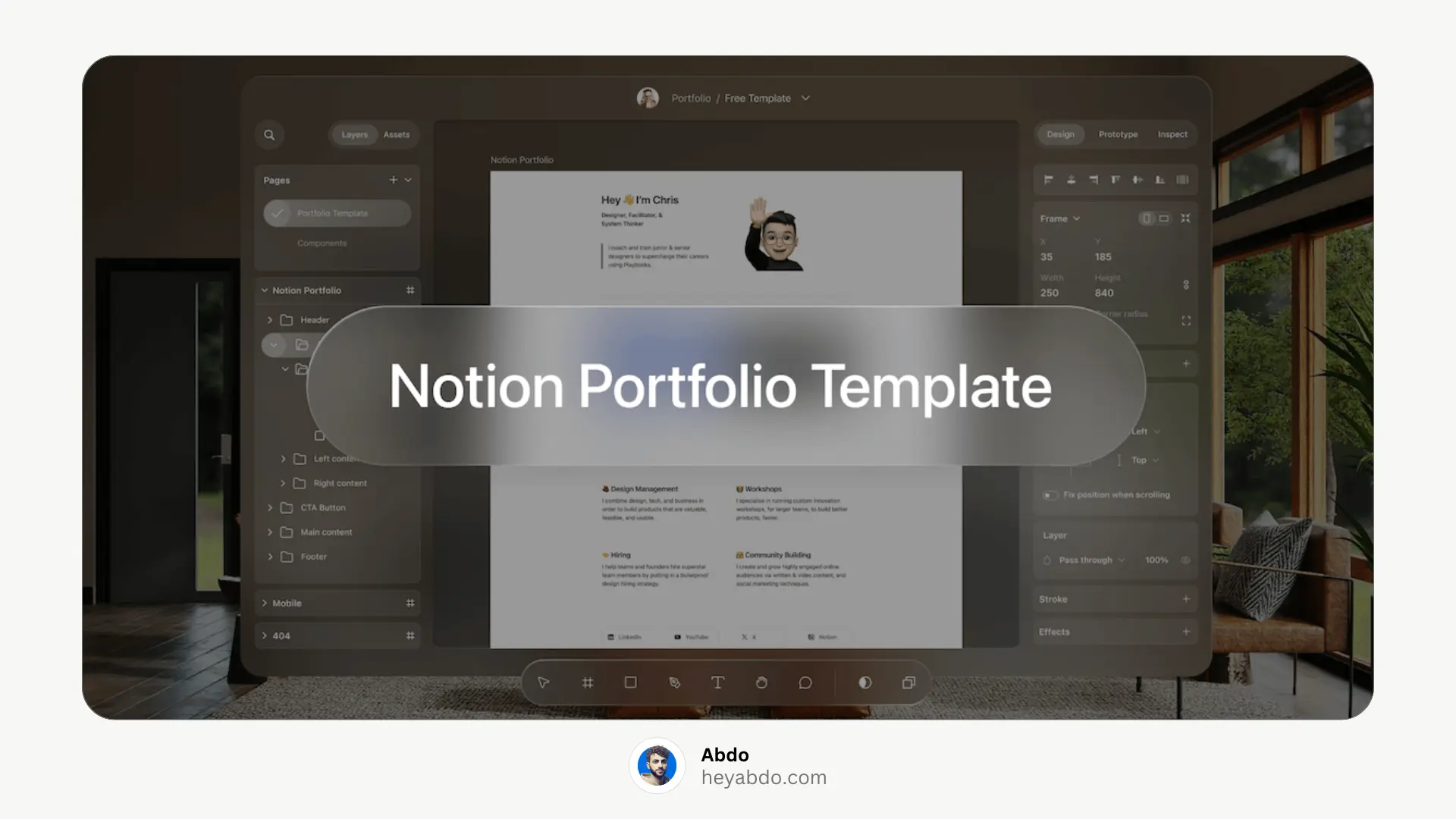
Check This Article : Best 15+ Notion Portfolio Templates
📝 Final Thoughts
Building a Notion portfolio template from scratch allows you to tailor your portfolio to your unique style and needs. With Notion's intuitive interface and customizable features, you can create a compelling portfolio that stands out. Start crafting your Notion portfolio today and showcase your work to the world!
🧰 Why Choose Notion for Your Portfolio?
Notion is a versatile workspace that can double as a sleek portfolio template. Benefits include:
✓ No coding required – Drag-and-drop simplicity
✓ Fully customizable – Match your personal brand
✓ Free or low-cost – No need for expensive hosting
✓ Easy to update – Add new projects in seconds
Whether you need a Notion UX portfolio, Notion design portfolio, or a general showcase of your work, Notion makes it effortless.
🛠️ Steps to Build Your Notion Portfolio
1. Set Up a New Notion Page
Open Notion and click + New Page.
Name it (e.g., “My Portfolio”) and choose a cover image/icon.
2. Create Your Portfolio Sections
Use headings (H1, H2, H3) to organize your page. Example sections:
About Me (Short bio + skills)
My Work (Projects gallery)
Contact (Email/social links)
✓ Add a Cover and Icon: Personalize your page with a cover image and an icon that represents your brand.
✓ Use Column and Dividers: Organize content using Columns and dividers for clarity.
Pro Tip: Use Notion’s toggle lists to make sections collapsible for a cleaner look.
3. Add Projects with Gallery View
Under My Work, type
/galleryto create a visual grid.Click + New to add projects. For each project:
Upload a cover image.
Add a title, description, and tags (e.g., “UI Design,” “2024”).
Link to live projects or case studies.
4. Customize the Design
Fonts & colors: Use Notion’s built-in options (e.g., serif/sans-serif).
Icons: Emojis or custom icons from icons8.com.
Dividers: Type
/dividerto break up sections.
5. Publish as a Website
Click Share → Publish to web.
Share the link (e.g.,
yourname.notion.site) on LinkedIn, resumes, etc.
Enable “Search engine indexing” if you want Google to find it.
🎥 Watch the Tutorial
For a visual walkthrough, check out our YouTube tutorial:
🌟 Free Notion Portfolio Templates
If you prefer starting with a pre-designed template, here are some excellent Notion portfolio templates:
1. Notion Professional Portfolio
A clean and minimal Notion portfolio template designed to help you present yourself professionally. Showcase your expertise, highlight your top projects, share client testimonials, display the number of clients you've worked with, completed projects, and more — all in one sleek layout.
Key Features:
Fully customizable sections including About Me, Skills, Projects, and more
Smooth integration with social media links and contact details for easy networking
2. Portfolio Notion Template
The Portfolio Notion Template is a powerful and easy-to-use tool that lets you create a professional online portfolio to showcase your skills, experience, and best work. Whether you're applying for jobs or attracting freelance clients, this template helps you present your capabilities clearly and confidently. It's fully customizable, so you can tailor it to reflect your personal brand and professional goals.
3. Notion Portfolio Pack
A versatile collection of Notion portfolio templates designed to elevate the way you present your professional journey. Inside, you’ll get 4 distinct portfolio layouts, each available in 9 unique themes—adding up to 36 fully customizable templates. Whether you're in tech, design, product management, or any other field, these templates help you build a standout portfolio that reflects your style and strengths.
Key Features:
36 interchangeable Notion portfolio templates to mix and match your perfect setup
Pre-built sections for About, Education, Skills, Case Studies, and more
4. Notion UX portfolio
This Notion portfolio template provides a clear, visually engaging way to showcase your work and personality. Think of it as your personal homepage—where your UX case studies and creative projects live and speak for you.
Key Features:
Dedicated Featured Work section to highlight your top projects
Custom buttons for seamless social media linking
Check This Article : Best 15+ Notion Portfolio Templates
📝 Final Thoughts
Building a Notion portfolio template from scratch allows you to tailor your portfolio to your unique style and needs. With Notion's intuitive interface and customizable features, you can create a compelling portfolio that stands out. Start crafting your Notion portfolio today and showcase your work to the world!

About
Maximize your Notion
workflow
Maximize your Notion
workflow
help people get more out of Notion without the complexity. With over 50,000 downloads, my minimalist templates support Startups, students, creators, and entrepreneurs in organizing their life and work with ease.
Need a custom Notion system?
I build complete operating systems tailored to your business. Book a free 15-min call.
Book a Free Call →
Love it? Share it!


Need Something Custom?
Need a Custom Workspace?
We design and build complete Notion systems tailored specifically to your business — your clients, your services, your workflows. No generic templates.
We design and build complete Notion systems tailored specifically to your business — your clients, your services, your workflows. No generic templates.
Free 15-min strategy call included

Helping you manage your life and business in one place with Notion.
© 2026 Abdo. All rights reserved.
Helping you manage your life and business in one place with Notion.
© 2026 Abdo. All rights reserved.
Helping you manage your life and business in one place with Notion.
© 2026 Abdo. All rights reserved.